Early access

Turn a new enquiry into a clear next step

Your Facebook and Instagram leads already contain useful information: what someone needs, how to reach them and what you have discussed. The LeadSavvy Pro ChatGPT integration brings that context into your conversation so you can find a lead, understand their enquiry and prepare a useful response.

Ask in everyday language. Review a contact's form answers and notes, get help drafting a personalised follow-up, and organise the next action using supported CRM tools. Spend less time hunting for details and more time having the right conversation.

We are developing this integration and inviting early-access enquiries. The examples below describe workflows being developed; enabled features and setup will be confirmed for your account. This page does not announce a public plugin-directory release.

Contact us for early access

Tell us how you use LeadSavvy Pro and what you would like to do in ChatGPT.

Practical examples

What could you ask ChatGPT to do?

Illustrative prompts for early access. Outcomes depend on the records retrieved, your permissions and the tools enabled.

Start with unread leads

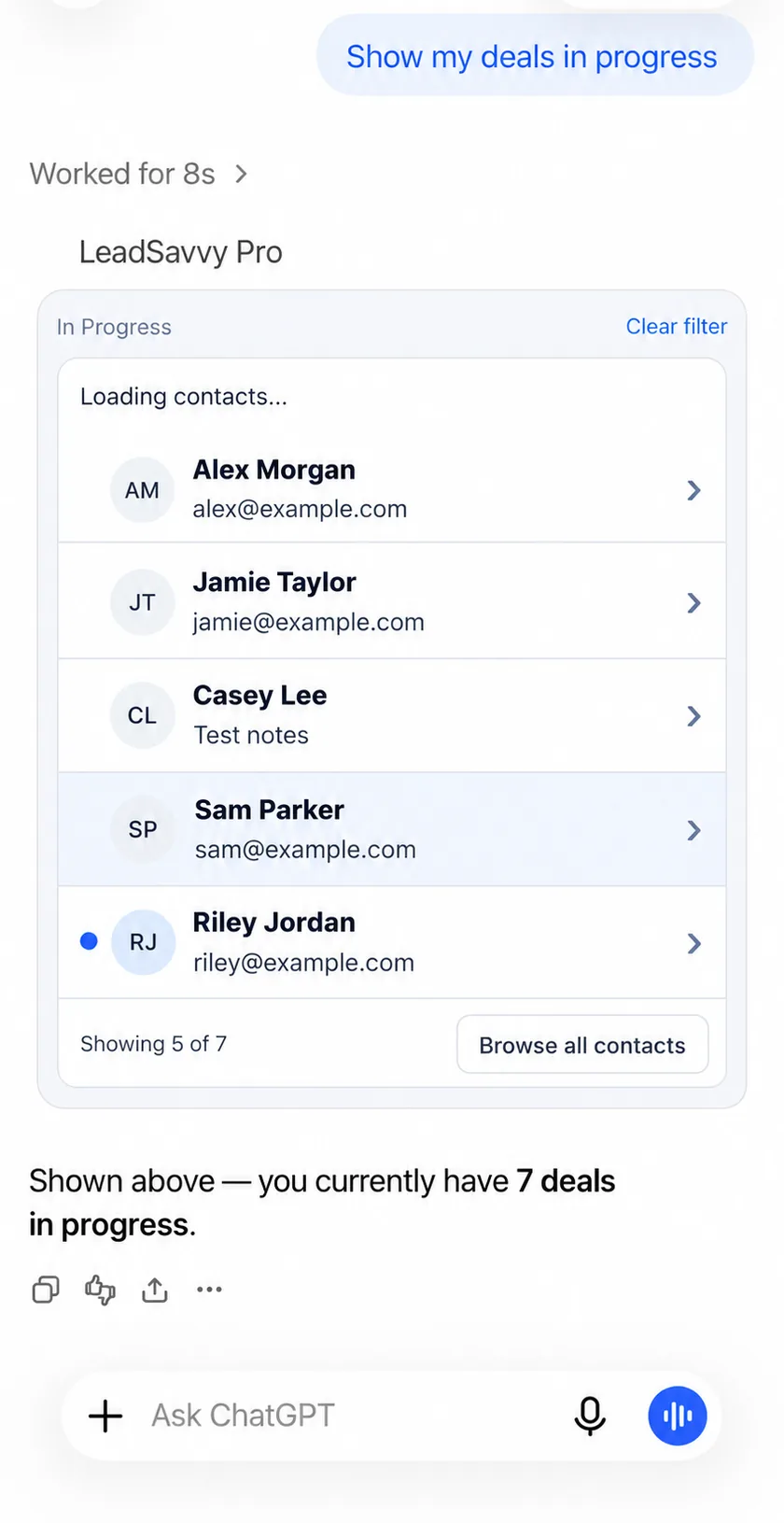
“Show my 10 most recent unread leads in this workspace. Summarise what each person asked for.”

Bring a manageable set of new enquiries into view, then open the relevant contacts for their full answers. An unread flag helps you choose what to review; it does not prove a person has never been contacted.

Benefit: a focused starting point for your next follow-up session.

Prepare a response that fits the enquiry

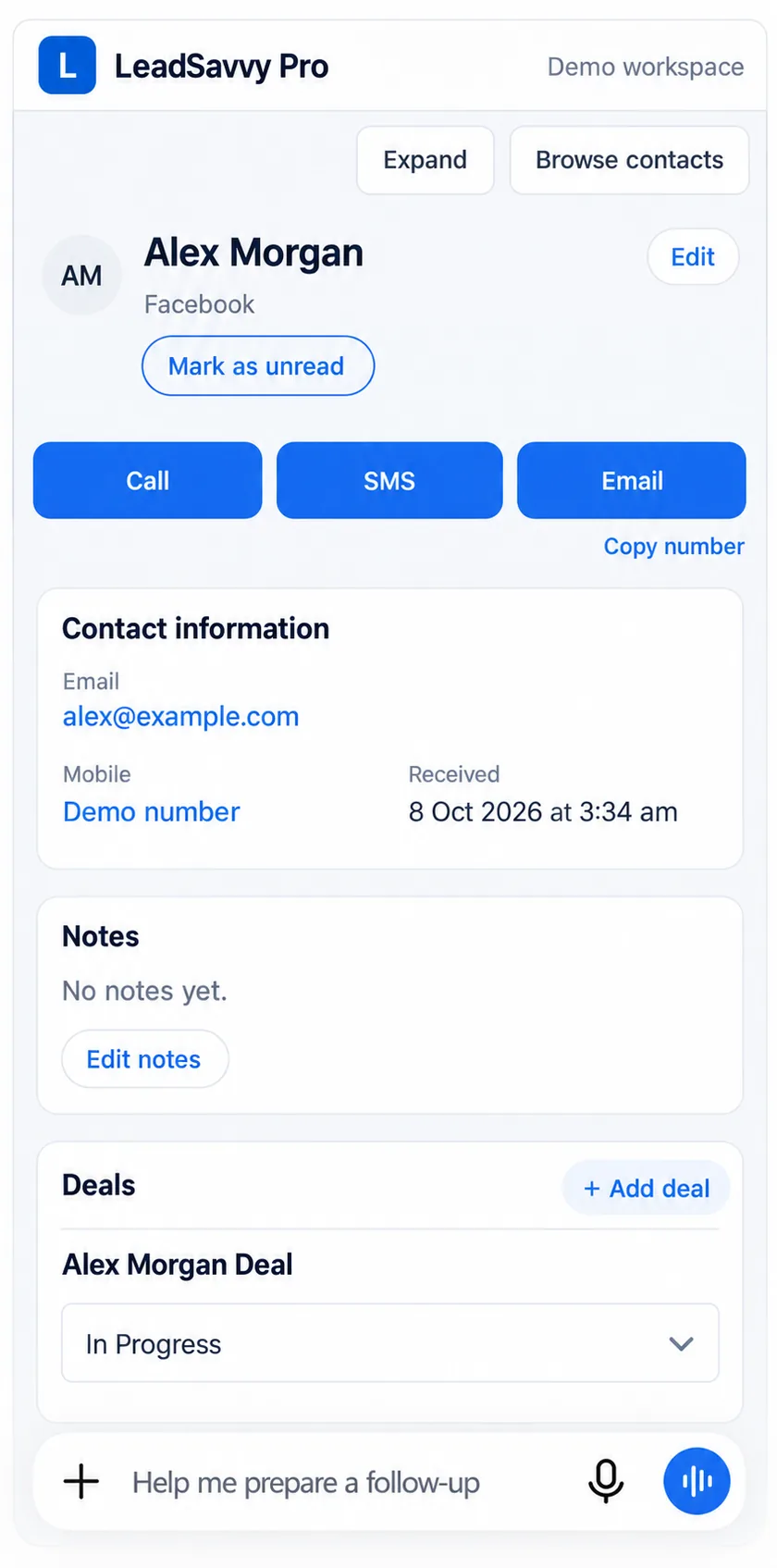
“Open Alex's enquiry and notes. Draft a short follow-up that answers their question and asks one useful next question. Do not send it.”

If a prospect asks about a service, appointment or property, ChatGPT can use the retrieved details to suggest a relevant response. Review facts, tone and any prices before using the draft.

Benefit: less blank-page effort and a more specific first conversation. Message drafting is ChatGPT assistance; automatic sending is not part of the workflows described here.

Pick up a conversation with context

“Read this contact's enquiry answers, notes and deals. Give me a brief recap before I call, and point out anything we still need to ask.”

Use recorded context to prepare for a call or handover. Missing notes should stay visible as gaps; ChatGPT should not invent a previous conversation or assume a deal stage proves what happened.

Benefit: arrive prepared and reduce repeated questions.

Keep the CRM useful after the call

“Read the existing notes. Append: Alex wants an appointment next Tuesday; I will call back to confirm. Show me the proposed note before saving.”

Supported early-access tools include contact notes, read/unread status and moving existing deals between available stages. Check the contact and proposed change before requesting a save. A drafted note only becomes a CRM record after a successful update.

Benefit: capture the outcome while it is fresh, keeping your team informed.

Can ChatGPT provide insights from your leads?

Yes: when relevant records are retrieved into the conversation, ChatGPT can help summarise them, compare stated needs and suggest questions or follow-up wording. For example, if several enquiries mention the same concern, you could ask for a draft response that addresses it.

“Using only the 10 enquiries we just reviewed, group the questions by theme. Show which contacts support each theme, flag missing information and suggest three questions our lead form could ask more clearly.”

This can help a business notice recurring questions about availability, service area or the buying process. An agency can review a selected client's enquiries within the workspace it is authorised to access. Treat these as observations about the records reviewed, rather than a report on your entire lead database.

Ask for evidence and scope. A small sample cannot establish your overall conversion rate, cost per lead or best-performing campaign. Those conclusions need complete records, reliable outcomes and, for ad costs, separate advertising data. The integration described here does not provide an ad-performance reporting tool.

Does it remember everything it learns?

ChatGPT can use the lead information available in the current conversation when answering follow-up questions. For instance, after reviewing an enquiry you can ask, “Make that draft shorter and include their preferred appointment time.”

Connecting LeadSavvy Pro does not promise permanent memory of every contact or a continuously updated copy of your CRM. Memory across conversations depends on ChatGPT's features, settings and workspace policies. Ask it to retrieve the current contact again when freshness matters. Keep lasting customer notes in LeadSavvy Pro using a supported save action.

Reading data, remembering context and training an AI model are different things. Check the data controls and policies for your ChatGPT account before sharing customer information; this page makes no promise that every account has the same retention or training settings.

MCP, plugin or app: what do those words mean?

Plugin: the connection you add to give ChatGPT access to a service's supported capabilities. You may also see the term app in ChatGPT integration documentation and setup screens.

MCP: short for Model Context Protocol. It is the standard connection that lets ChatGPT request information and use tools supplied by LeadSavvy Pro. Think of it as the bridge behind the plugin.

For you, the useful part is connecting your account and asking for help with your leads. You do not need to write code or understand the protocol. Early-access setup may require account or workspace configuration; we will guide you through the supported connection process.

OpenAI's explanation of plugins and MCP describes how these pieces fit together.

From instant notification to informed follow-up

LeadSavvy Pro captures enquiries from your connected Facebook and Instagram Instant Forms. The iPhone app brings new-lead push notifications and tap-to-call convenience, so you can respond while interest is fresh.

ChatGPT adds another way to review the enquiry, prepare your next conversation and organise supported CRM actions. Keep using Google Sheets for your shared tracker or the CRM for contact and deal management.

Example: receive an iPhone notification, open the lead and call. Later, ask ChatGPT to retrieve the contact, help organise your call notes and prepare a follow-up draft. Review it, save the agreed notes and send your message through your usual channel.

See the complete LeadSavvy Pro workflow.

Getting early access

  1. Contact us: mention “ChatGPT early access”, your business or agency and the workflow you want to try.
  2. Confirm suitability: we will confirm availability, supported features, LeadSavvy Pro requirements and any ChatGPT account or workspace requirements.
  3. Connect your account: follow the provided setup and authorisation instructions. Do not send passwords or access tokens in your enquiry.
  4. Start with a small review: retrieve a few contacts, check the answers against your records and try an agreed workflow.

Will it see every organisation or change records automatically?

Access is tied to the connected account and its permissions. Select the workspace you want to use. Supported write actions can change real notes, read status or deal stages, so review the intended record and action. The workflows on this page do not promise autonomous background follow-up, bulk CRM changes or automatic calls and messages.

Is early access included in my plan?

Contact us to confirm early-access eligibility and any applicable costs or plan requirements. Existing LeadSavvy Pro pricing does not by itself establish ChatGPT integration access. We will confirm the details before you connect.

Do I need to replace my current workflow?

No. The web CRM, Google Sheets integration and eligible iPhone app access remain useful in their own right. Early access is an additional way to work with supported LeadSavvy Pro data and actions inside ChatGPT.

Help shape LeadSavvy Pro in ChatGPT

Tell us where reviewing leads or keeping follow-up organised takes too much time. Your practical use case will help guide early access.

Contact for ChatGPT early access