A Modern Playbook for Managing Sales Leads from Facebook Ads
Look, you can run the most brilliant Facebook ad campaigns in the world, with killer creative and a compelling offer, but if your sales pipeline is empty, something is seriously broken. It's a frustratingly common problem, and the culprit is almost always the same: a massive delay between the moment a lead signs up and when your team actually reaches out.
That initial spark of interest is incredibly fragile. When someone fills out your form, they're actively thinking about their problem and how you can solve it. Their intent is at an all-time high. But every single minute that ticks by, that intent starts to fade. Life gets in the way, a competitor’s ad pops up, or the initial excitement just fizzles out.
Why Most Facebook Lead Strategies Fail
The real bottleneck isn't your ads; it's how you handle the leads once they come in.
The Problem with Manual Processes
Too many businesses are stuck in the past, manually downloading CSV files from Facebook's Ads Manager. This approach is a guaranteed way to lose revenue. Someone on the team might remember to download the list once a day, maybe a few times a week if you're lucky. By then, that golden window of opportunity has slammed shut.
Let's be real about the numbers. A staggering 80% of new leads never actually convert into sales. That’s a tough pill to swallow. Leads coming from your Facebook forms are pure gold, but they turn to dust if you don't act fast. The data doesn't lie: leads are 9x more likely to convert if you contact them within the first five minutes. You can dig into more lead generation statistics and their impact to see just how critical this is.
The core issue isn't a lack of leads; it's a lack of speed. The old-school method of downloading and emailing spreadsheets creates a built-in delay that kills your conversion potential before your sales team even dials a number.
This isn't about telling your team to work harder or refresh their screen more often. It's about building a smarter, automated system. Properly managing sales leads means getting rid of the manual friction and connecting with prospects the second they show interest.
Manual VS Automated Lead Management: A Reality Check
To really drive the point home, let's look at the difference between the old way and the new way. The contrast is pretty stark.
| Metric | Manual Process (CSV Downloads) | Automated Process (e.g., LeadSavvy Pro) |
|---|---|---|
| Lead Response Time | Hours or even days | Seconds to minutes |
| Contact Rate | Significantly lower | Substantially higher |
| Conversion Potential | Low, as lead interest has faded | High, capitalizing on peak intent |
| Sales Team Efficiency | Wasted time on data entry | Focused on selling activities |
The table says it all. One path leads to wasted ad spend and a frustrated sales team. The other leads to real conversations and closed deals. The choice is yours.
Building Your Instant Lead Capture System
Alright, let's get from theory to action. We need to build the engine that powers your entire lead management process. The goal here is simple: kill the delay between a prospect hitting "submit" on your Facebook form and that lead landing in front of your sales team. This isn't about writing a bunch of code; it's about connecting the right tools to create a seamless, instant pipeline.
The whole idea is to build an automated bridge from your Facebook Lead Forms straight into whatever system your team lives in every day. For a startup, that might just be a Google Sheet. For a growing team, it's probably a full-blown CRM. Honestly, the destination doesn't matter as much as the speed and reliability of that connection.
Choosing Your Automation Tools
First things first, you'll need a no-code automation tool. These platforms are the "glue" that sticks Facebook to your destination system, and you don't need to be a developer to use them. Think of them as digital translators that grab the lead data from Facebook and instantly drop it into your CRM or spreadsheet in the right format.
A few popular options you'll run into are:
- Zapier: This is the big one. It integrates with thousands of apps, making it a super versatile choice for connecting almost anything to anything else.
- Make (formerly Integromat): People love Make for its visual workflow builder. It really helps you see how your automation is structured, especially if you're building out more complex, multi-step sequences.
- LeadSavvy Pro: This one is built specifically for this job. It’s a more focused tool for syncing Facebook leads directly to Sheets or a CRM, and it has notifications baked right in.
If you want to get into the nitty-gritty of the setup, our guide on managing Facebook form leads walks you through it step-by-step.
Mapping Your Form Fields Correctly
After you pick a tool and connect your Facebook account, you'll hit the most critical part of the setup: field mapping. This is just the fancy term for telling the system that the "First Name" field from your Facebook form should go into the "First Name" column in your Google Sheet or the right contact property in your CRM.
Mismatched fields are where these setups usually break. Just imagine a lead's phone number landing in the "Email" field—your follow-up is dead on arrival, and your data is a mess. Take your time here. Double-check that every single field from your form is linked to the correct destination.
Pro Tip: Always, always run a test lead after you think you're done. Fill out your own Facebook form using some dummy data (like "Jane Tester," "test@test.com"). Then, immediately pop over to your Google Sheet or CRM to make sure every piece of information landed exactly where it was supposed to.
From Data Entry to Actionable Alerts
Just getting the data into a spreadsheet isn't enough. Your sales team needs to know a new lead has arrived the second it happens. This is where real-time notifications completely change the game. A lead sitting silently in a spreadsheet is passive. An instant notification turns it into an urgent, actionable task.
This little flowchart says it all. The reality is brutal.
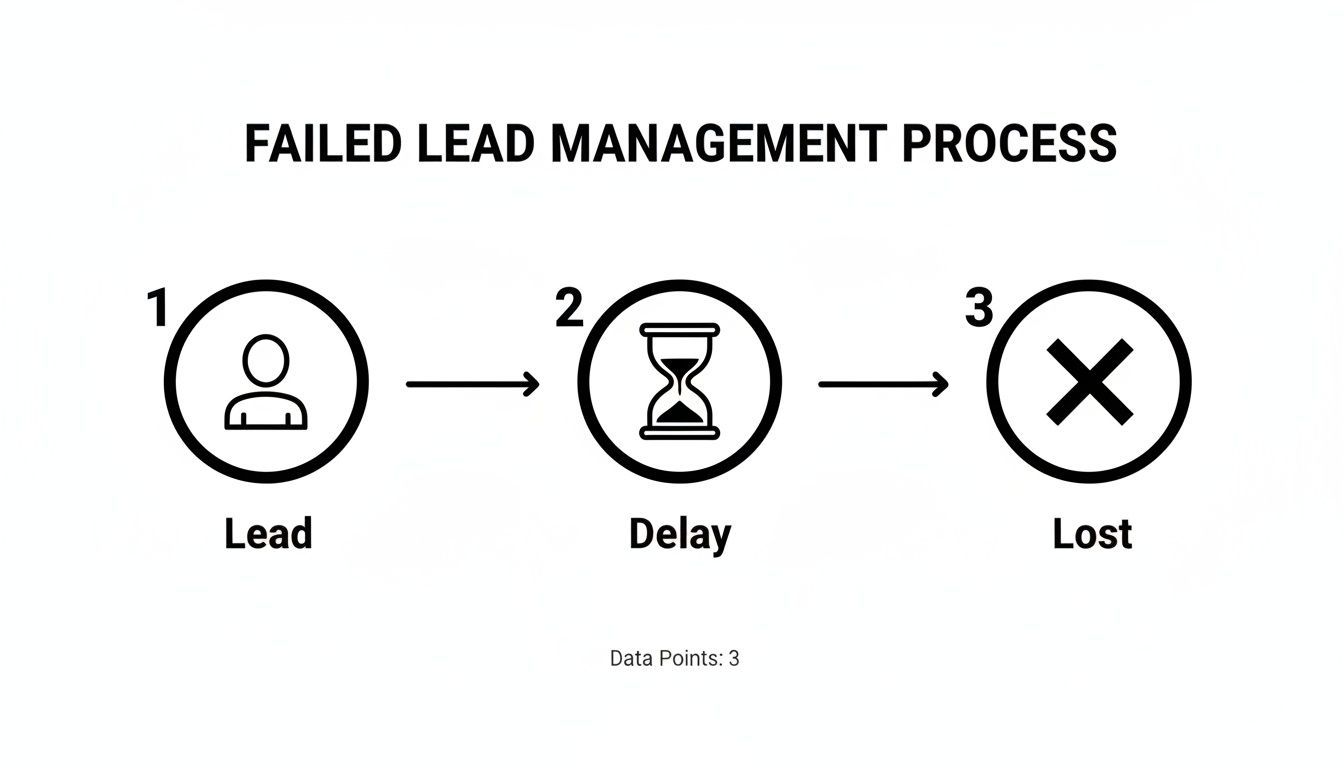
Any delay between a lead coming in and someone taking action dramatically increases the odds of losing that deal for good.
Set up your automation tool to fire off an immediate notification to a channel your team actually uses, like Slack or email. That message needs the lead's key details—name, email, phone—so a rep can qualify them at a glance without having to open another app. It turns a static list into a dynamic alert system, and the payoff is huge.
Companies that implement a proper CRM see their sales revenue jump by an average of 29%. There's a reason 67.8% of marketers are using CRMs to store their lead data. Piping your leads directly into a system that has instant alerts prevents those costly delays and turns your ad spend into actual conversations.
How To Qualify and Prioritize Leads Instantly
So, you've got the leads flowing in automatically. Fantastic. But the next big challenge isn't about speed anymore—it's about focus.
Let's be real: not every lead is a winner. A tidal wave of unqualified prospects can be just as bad as a slow drip, because it absolutely drains your sales team's most valuable asset: their time. The secret is to build a smart, automated triage system that instantly sorts the hot opportunities from the tire-kickers.
This whole process kicks off the second that lead data hits your system. Instead of treating every new name the same, you need to set up rules that score and bucket leads based on the info they gave you. This creates a clear pecking order, letting your team jump on the highest-potential prospects first while they're still fired up.
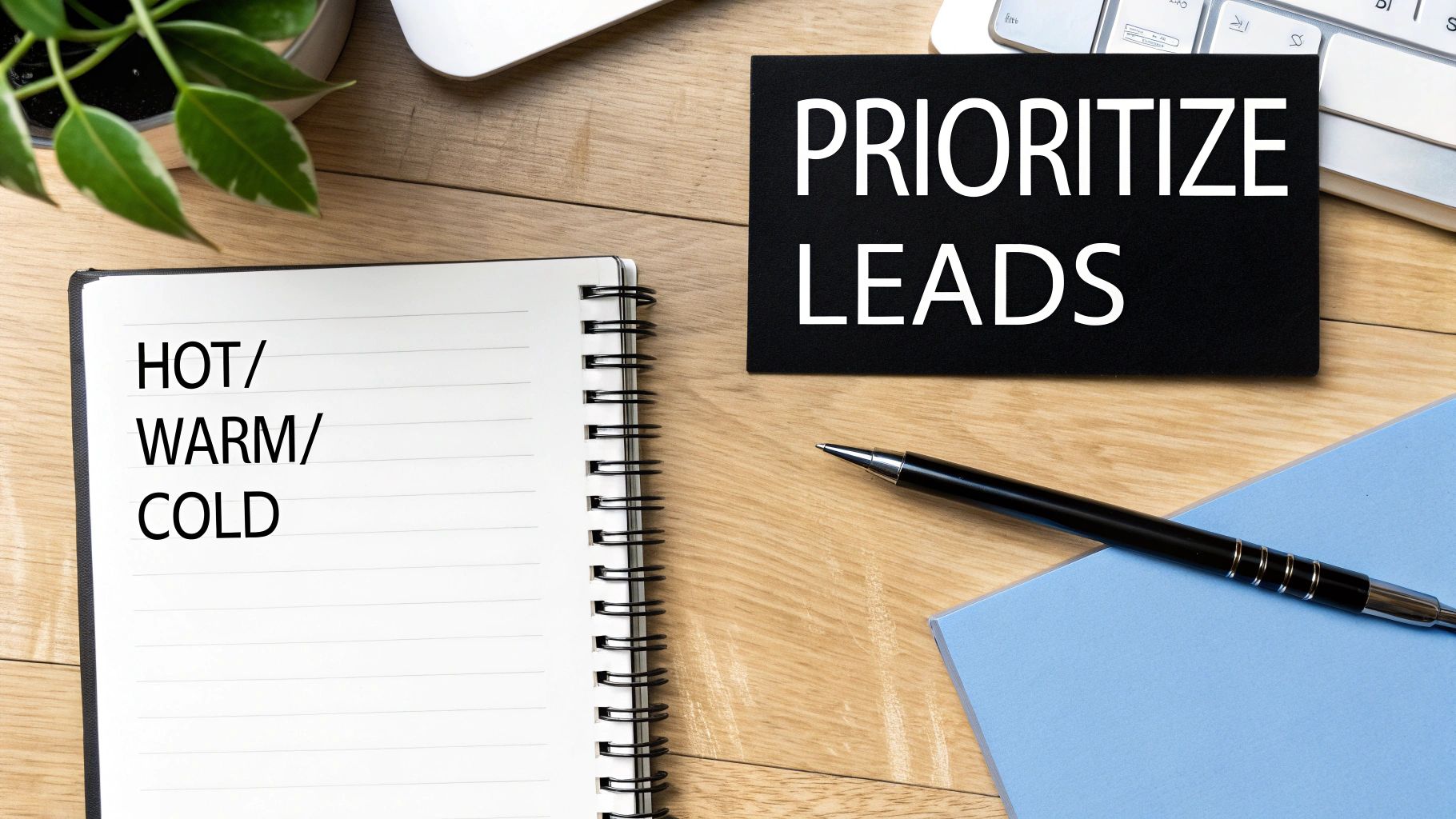
Establish Simple Lead Scoring Rules
Lead scoring is just a fancy way of ranking prospects based on how valuable they might be to you. You can build a surprisingly effective scoring system using only the answers from your Facebook Lead Form. It doesn't need to be some complex algorithm to get the job done.
Start by figuring out which pieces of information signal real intent. For example, a lead who uses a business email (@company.com) is almost always more serious than someone using a personal one (@gmail.com).
Here’s a quick-and-dirty point system you could use:
- Business Email: +10 points
- Job Title (Manager or above): +15 points
- Company Size (Over 50 employees): +10 points
- Specific Service Interest (Selected "Get a Demo"): +20 points
Tally up the points, and you've instantly scored the lead. This number gives you an objective way to stack-rank your follow-up list, making sure your best shots get the immediate attention they deserve. If this is a new concept for you, it's worth taking a few minutes to learn more about what lead scoring is and how it all works.
Segment Leads into Actionable Tiers
Once the scores are in, the next move is to group leads into simple, actionable buckets. This stops your team from getting bogged down in numbers and gives them a clear game plan for how to handle each person.
The classic "Hot, Warm, Cold" model works wonders here:
- Hot Leads (e.g., Score 30+): These are your VIPs. They’ve ticked all the right boxes and are probably ready for a real sales conversation. These folks need to be assigned and contacted immediately.
- Warm Leads (e.g., Score 15-29): These leads are promising but might need a little more time in the oven. They fit some of your criteria but aren't quite ready to buy. Drop them into an email or SMS nurture sequence that keeps your brand top of mind.
- Cold Leads (e.g., Score 0-14): These prospects are likely unqualified or just kicking tires. Don't waste your top sales talent here. Instead, add them to a long-term, low-touch campaign, like a monthly newsletter.
This tiered system makes sure every lead gets the right treatment without burning out your reps.
Creating these tiers isn't just about being organized; it's a strategic move. You're allocating your resources where they'll have the biggest impact. It frees up your best closers to focus only on deals that are most likely to happen, which is a massive boost to both efficiency and revenue.
Implement Smart Routing and Assignment
Finally, you can put the whole assignment process on autopilot based on your scoring and segmentation rules. This gets rid of the manual bottleneck of a manager having to dish out leads and ensures the right person gets the right opportunity, instantly.
Your automation tool can be set up to route leads based on all sorts of criteria. For instance, you could have all "Hot" leads automatically assigned to your most senior sales reps in a round-robin style to keep things fair. For a more sophisticated approach, you can explore how AI lead scoring can deliver incredibly accurate and rapid assessments of lead potential.
By setting these rules, you've built a machine that doesn't just capture leads, but also qualifies, segments, and assigns them in seconds.
Designing a High-Impact Follow-Up Cadence
Getting your automation set up is a massive win, but it’s really only half the battle. The true magic happens when that instant speed is paired with a smart, persistent follow-up strategy. Think of your automation as the delivery truck; the messages it carries are what actually build relationships and close deals.
This is where you design your follow-up cadence—a structured sequence of communication built to nurture a prospect from initial interest all the way to being sales-ready.
The goal isn't to just bombard new leads with generic sales pitches. Far from it. Each touchpoint should add value, answer a potential question, or provide a piece of information that helps them along their journey. It's about building trust and staying top-of-mind without being a nuisance. This is absolutely critical, since most people aren't ready to buy after the very first interaction.
The First Five Minutes: Your Highest Leverage Point
That initial follow-up? It is, without question, the most important one. This first message needs to be triggered the instant a lead comes in from your Facebook ad. Its only jobs are to confirm you received their info and to set clear expectations for what happens next.
This isn't the time for a hard sell. It's a simple, human touch that shows your business is responsive and on the ball.
Example Email Template (Instant Follow-Up)
Subject: Thanks for reaching out to [Your Company]!
Hi [First Name],
Thanks for your interest in [Product/Service]! My name is [Your Name], and I'm here to help.
I'll be reviewing your information shortly and will give you a call within the next hour to discuss [their specific interest]. In the meantime, you can check out a quick demo video here: [Link to Video]
Talk soon,
[Your Name]
This template just works. It's personal, it's immediate, and it manages expectations perfectly. You’ve confirmed you got their info, introduced a real person, and given them a clear timeline. Perfect.
Crafting Cadences for Different Lead Temperatures
Look, not every lead is chomping at the bit for a sales call. A "Hot" lead who just requested a demo needs a completely different approach than a "Warm" lead who downloaded a free guide. Your follow-up cadence has to adapt to their intent. This is where your lead scoring and segmentation from the previous steps really pay off.
Here’s a quick look at how you might structure these different paths.
For "Hot" Leads (High Intent)
These folks need an aggressive, multi-channel approach focused on one thing: getting a conversation booked quickly.
- Instant: Automated Welcome Email & SMS
- +1 Hour: Personal Call from a Sales Rep
- Day 2: Follow-up Email with a relevant Case Study
- Day 3: LinkedIn Connection Request
- Day 5: Final Call & a "Break-up" Email
For "Warm" Leads (Medium Intent)
The goal here is education and value. You want to nurture their interest over time without coming across as pushy.
- Instant: Automated Email delivering the downloadable asset
- Day 2: Follow-up Email with a Related Blog Post
- Day 5: Email Sharing a Customer Success Story
- Day 8: Invite to an Upcoming Webinar
- Day 12: Simple Email Asking if They Have Any Questions
The data consistently backs up this structured approach. Companies that get good at lead nurturing generate 50% more sales-qualified leads while cutting their costs by 33%. This isn't just a small bump; nurtured leads are also 47% more likely to make a larger purchase.
The Power of Multi-Channel Communication
Relying only on email is a huge mistake in today's world. People are buried in emails, and your message can easily get lost in the noise. By bringing in other channels like SMS and good old-fashioned phone calls, you dramatically increase your odds of actually connecting.
Remember, the goal is to be professionally persistent. Using different channels makes your follow-up feel less repetitive and more like a genuine attempt to connect. An SMS is great for a quick confirmation, while a phone call allows for a real, human conversation.
For a deeper dive into the mechanics of building these sequences, you can explore our detailed guide on setting up automated lead nurturing. It provides the actionable steps for turning this strategy into a reality. By designing a thoughtful, multi-step follow-up plan, you transform a simple lead capture system into a powerful revenue engine.
Measuring Performance to Optimize Your Funnel
A solid system for managing Facebook leads isn't something you set and forget. It's a living, breathing process that needs constant fine-tuning. To do it right, you have to look past vanity metrics like the total number of leads and zero in on the key performance indicators (KPIs) that actually tell you how healthy your sales funnel is.
This is the data-driven approach that separates teams that guess from teams that grow.
When you track the right metrics, your pipeline transforms from a simple list of names into a predictable revenue engine. You can spot risks before they snowball into problems and pour fuel on the fire of what's already working. In fact, research shows that companies that actively optimize their pipeline management grow 28% faster than those that don't. That’s a massive edge.
Key Metrics That Actually Matter
It's easy to drown in data, so let's cut through the noise. Here are the handful of high-impact KPIs that give you the clearest picture of your performance. These are the numbers that will guide your decisions and help you plug leaks in your funnel.
You should be laser-focused on these four:
- Lead Response Time: How long does it take for a sales rep to make that first contact after a lead is assigned? This is a direct measure of your speed and efficiency. Seconds count.
- Contact Rate: What percentage of new leads does your team actually manage to have a meaningful conversation with? A low contact rate can point to bad lead data or a weak follow-up game.
- Qualification Rate: Of the leads you connect with, what percentage are a good fit and move to the next stage? This metric tells you if your Facebook ads are attracting the right audience.
- Cost Per Qualified Lead (CPQL): This is the ultimate metric. It combines your ad spend with your qualification rate to reveal the true cost of acquiring a valuable prospect, not just any random lead.
By focusing on just these numbers, you can diagnose problems with incredible accuracy.
Building Your Performance Dashboard
You don't need a fancy business intelligence tool to get started. A simple dashboard in your CRM or even a well-organized Google Sheet can give you the visibility you need. The trick is to keep it updated consistently so you can spot trends.
For instance, you might see your Contact Rate nosedives over the weekend. That's a clear signal to set up an automated SMS reply for Saturday leads, letting them know a rep will call them first thing Monday morning.
Or maybe you notice one particular Facebook ad creative has a CPQL that is 50% lower than all the others. Boom. You've found a clear winner to shift more of your budget toward.
Your dashboard isn't just for looking at past results; it's a diagnostic tool for the future. It turns abstract data into clear, actionable insights, showing you exactly where the friction is in your process. It answers critical questions like, "Are we losing leads because we're too slow, or are the leads themselves just a bad fit?"
From Data to Decisions
Once you're tracking these KPIs, you can start asking smarter questions and running targeted experiments to improve your entire system. This is how you close the loop, turning performance measurement into a powerful optimization engine.
Here’s how it looks in the real world:
- The Observation: You notice leads are going cold after your second follow-up email. Your dashboard shows a massive engagement drop-off right at that stage.
- The Hypothesis: The content in that email is boring, or the call-to-action is weak.
- The Action: You A/B test a new version. Version A is your old email. Version B includes a short customer testimonial and a direct link to book a 15-minute demo.
- The Analysis: A month later, the data is in. Version B increased the reply rate by a whopping 35%.
This simple cycle of measuring, hypothesizing, and testing is the heart of funnel optimization. It lets you make small, data-backed changes that compound into huge performance gains over time.
Essential KPIs for Lead Management Success
To help you get started, here's a quick-glance table of the essential metrics you should be tracking, what they mean, and what good looks like.
| KPI | What It Measures | Industry Benchmark | How to Improve It |
|---|---|---|---|
| Lead Response Time | Average time from lead creation to first contact. | Under 5 minutes | Automate notifications; use round-robin lead assignment. |
| Contact Rate | % of leads your team successfully connects with. | 20-30% | Use a multi-touch cadence (call, SMS, email); verify phone numbers. |
| Qualification Rate | % of contacted leads that are a good fit. | Varies by industry | Refine ad targeting; add pre-qualifying questions to your form. |
| Cost Per Qualified Lead | Total ad spend divided by the number of qualified leads. | Varies by industry | Optimize ad creative; improve landing page conversion rates. |
| Conversion Rate | % of total leads that become paying customers. | Varies by industry | Improve sales scripts; refine follow-up nurturing sequences. |
Use these benchmarks as a starting point, but always focus on improving your own numbers month over month. This iterative process is what ensures your system for managing leads delivers the maximum possible return.
You've built this beautiful, automated machine to handle your Facebook leads. It's sleek, it's smart… but it's not foolproof. Even the most sophisticated setup can fall victim to a few simple, human errors.
Frankly, avoiding these common pitfalls is just as crucial as getting the automation right in the first place. Let's walk through the three mistakes I see people make over and over again.
Mistake #1: Launching Blind (And Not Testing Your Setup)
This one is the most common and the most painful. You’ve spent hours, maybe even days, mapping out fields, writing notification rules, and getting everything just right. You're excited to finally flip the switch. So you skip the final dress rehearsal.
Big mistake.
This is how leads end up in the digital ether—silently piling up in a misconfigured spreadsheet column or failing to trigger a single alert. Before you put a single dollar behind your ads, you have to run a full end-to-end test. It’s not optional. Think of it as the fire drill for your sales process.
Here’s the simple, five-minute check that can save you a world of hurt:
- Fill out your own form. Go to your live Facebook ad and submit your own info. Use something obvious like "Jane Doe Test" and "test@yourcompany.com."
- Follow the trail. Did the lead land in your Google Sheet or CRM instantly? Are all the fields populated correctly? No weird formatting, no missing data?
- Check the notification. Did you get that Slack message or email alert? Was all the key lead info right there, ready for the sales team to see?
If any part of that chain is broken, you’ll catch it now, not after you've already spent hundreds on ads and lost a dozen hot leads.
Mistake #2: Sending Robotic, Generic Follow-ups
Just because a message is sent automatically doesn't mean it has to sound like a robot wrote it. This is easily the biggest missed opportunity I see. A bland, generic "Thanks for your inquiry, we'll be in touch" is a total waste of your first impression.
That first touchpoint is everything. It’s your chance to set the tone and stand out.
Personalization isn't just dropping a
[First Name]tag into a template. It’s about referencing what they actually asked for and telling them what happens next, from a real human. This one tweak changes the entire dynamic from a cold transaction to the start of a genuine conversation.
Instead of that generic confirmation, try something that introduces a real person on your team, tells the lead when they can expect a call, and maybe even links to a helpful resource. It immediately builds trust and makes them far more likely to pick up the phone when you call.
Mistake #3: Forgetting Your Team Needs to Be on Board
And finally, you can't just drop a new system on your sales team and expect them to magically adopt it. If you roll out a new lead management process without any training or explanation, you’re setting it up to fail.
Your team needs to understand the why behind the change and see how it makes their lives easier.
Frame it as a win for them. The whole point is to kill manual data entry and get them hotter leads, faster than ever before. Walk them through the new notifications, show them where the leads will appear, and be crystal clear about the expected response time.
Without their buy-in, you’ll find your reps just fall back into their old, comfortable habits. And your shiny new automation will just sit there, completely ignored.
Got a few lingering questions? Let's clear them up.
Here are the answers to some common questions we hear from businesses trying to wrangle their Facebook leads.
How Fast Do I Really Need to Respond to a New Lead?
The honest answer? As fast as humanly (or robotically) possible. You should be aiming for that first contact within five minutes.
I know, that sounds intense. But the data doesn't lie—the chances of actually converting a lead plummet after that first five-minute window closes. An automated email is a good start, but a real, personal call or text from a sales rep in under five minutes? That's the gold standard.
What’s the Best Way to Handle Leads That Come in After Hours?
This is where a little automation goes a long way. You can't be online 24/7, but your system can.
Set up a simple automated email or SMS that fires off the second a lead comes in. It should do two things: acknowledge their submission and let them know a real person will reach out first thing in the morning.
This one small step is huge for managing expectations. It tells the prospect, "We heard you," and keeps them warm until your team is back on deck. Otherwise, they'll just assume their info vanished into the internet void.
Can I Get By Without a Fancy CRM?
Absolutely. You don't need to jump straight into an expensive, full-featured CRM.
For a lot of small businesses just getting started, a well-organized Google Sheet connected to an automation tool like LeadSavvy Pro is the perfect first step. It gives you one central place to track everyone and, more importantly, it automates the notifications.
As you grow, you’ll probably want to upgrade to a proper CRM for deeper reporting and pipeline management. But the most critical piece is just having a system—any system—that gets you out of the business of manually downloading CSVs.
Ready to stop downloading files and start having real conversations the moment a lead arrives? LeadSavvy Pro instantly syncs your Facebook leads to Google Sheets or your CRM and pings you in real-time. Get started for free and fix your lead flow in minutes at https://leadsavvy.pro.