Automate Your Sales Funnel with CRM Lead Generation
Let's be real for a second. Are you still manually downloading CSVs from Facebook? If you are, you know it's a huge drag on your whole crm lead generation process. It’s slow, it’s a pain, and frankly, it’s costing you money. Every minute you delay, a hot lead is going cold.
The Hidden Costs of Manual Lead Management
That seemingly small task of downloading spreadsheets from your Facebook ads is quietly killing your sales pipeline. It feels like just a few minutes here and there, but those minutes add up.
Every hour your team spends exporting a CSV, cleaning up data, and importing it into your CRM is an hour your competition is using to talk to your potential customers. The delay isn't just about lost productivity; it’s about lost revenue.
Think about the small mistakes that creep in. A salesperson misspells a name, and your personalized email bounces. Someone forgets to log a call because they’re flipping between a spreadsheet and the CRM. These little errors create a terrible customer experience and, you guessed it, more lost sales. If you're looking to build a more solid process from the ground up, start by reviewing these proven B2B lead generation best practices.
The Real Price of Lag Time
The biggest problem with doing things by hand is the lag time. When someone fills out your Facebook form, their interest is at its absolute peak. They are ready to engage right now.
But if they have to wait hours—or even a whole day—for a response because someone’s buried in spreadsheets, that initial excitement evaporates. They'll move on, find a competitor, or just forget why they even bothered in the first place.
This is where the manual process begins, right inside Facebook's interface.
The screenshot shows you where to click, but the real cost isn't in the click. It's what happens after: the data entry, the inevitable errors, and the painfully slow follow-up.
The greatest hidden cost is opportunity. A lead that goes cold because you were too slow to respond is a lost sale you can never get back, no matter how great your product is.
Why Automation Is No Longer a Luxury
At this point, automating your lead flow isn't just a "nice-to-have"—it's a necessity. The global CRM market is exploding, on track to hit over $112 billion by 2025 and an insane $262 billion by 2032.
And it’s no surprise when you hear that 91% of businesses with more than 11 employees already use a CRM. These tools are the backbone of modern sales and marketing. You can check out more stats on CRM market growth on kixie.com.
Connecting your ad platform directly to your CRM is the critical bridge between your marketing spend and actual sales. It’s how you turn clicks into conversations, fast.
Connecting Facebook Lead Ads Directly to Your CRM
If you're still downloading CSV files to manage your Facebook leads, I have some bad news and some good news. The bad news is you're losing leads and wasting a ton of time. The good news? Escaping the spreadsheet trap is much easier than you think.
The secret to winning at CRM lead generation is to build a direct, automated pipeline from your Facebook Lead Ads straight into your CRM. Forget the delays. Forget human error. This is about giving your sales team the power to engage with hot prospects the second their interest peaks.
A connector tool like LeadSavvy Pro acts as a simple bridge between Facebook and your CRM. You don't need to be a developer to set it up—the whole process is designed to be straightforward. It's mostly about authorizing your Facebook Business Page, picking your CRM from a list, and telling the tool where to send the data.
This diagram pretty much sums up the old, painful way of doing things.
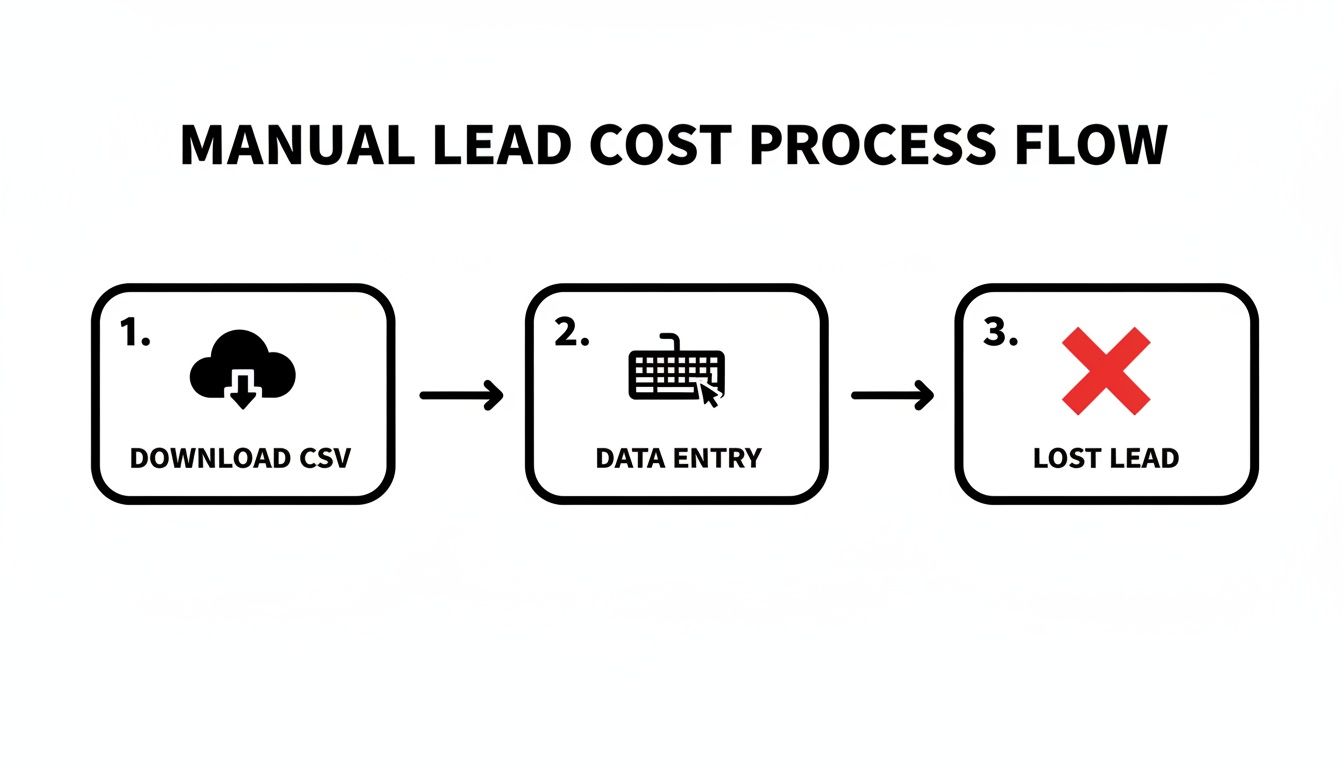
Each of those steps—downloading the file, punching in the data, and eventually losing the lead to delays—is a failure point. It costs you speed, accuracy, and ultimately, money.
Setting Up Your Connection
First things first, you need to grant secure access. This just means authorizing the connection tool to see your Facebook Page and the specific lead forms you're running. Don't worry, this doesn't give it access to your personal profile, just the business assets it needs to pull lead data automatically.
Next, you'll choose where you want the leads to go. This could be a major CRM like HubSpot or even a simple Google Sheet if you're just starting out. The beauty of these tools is their flexibility; you can build an automated system that fits your exact workflow and budget, creating a truly scalable CRM lead generation engine.
To really see the difference, let’s break down the old way versus the new way.
Manual CSV Downloads vs Automated CRM Syncing
| Feature | Manual CSV Method | Automated Sync (e.g., LeadSavvy Pro) |
|---|---|---|
| Speed | Leads are hours or days old | Leads arrive in the CRM in real-time |
| Response Time | Slow, often >24 hours | Instant, enabling <5 minute follow-up |
| Data Accuracy | Prone to copy-paste errors | 100% accurate data transfer |
| Workflow | Repetitive manual downloads | Fully "set it and forget it" automation |
| Lead Quality | Leads go cold quickly | Sales team engages with hot, interested leads |
| Scalability | Becomes impossible with high lead volume | Effortlessly handles 1 to 1,000+ leads per day |
The table makes it obvious: automation isn't just a "nice-to-have." It's a fundamental shift in how you handle valuable leads, directly impacting your ability to convert them into customers.
The most critical part of this setup is field mapping. It's the digital equivalent of telling your mail carrier exactly which mailbox belongs to which house. If you get it wrong, the mail gets lost.
Field mapping is where you ensure the information a lead submits on Facebook ends up in the correct place in your CRM. You’ll just visually match the fields from your ad form to the corresponding fields in your contact records.
- Facebook Field:
Full Name-> CRM Field:Contact Name - Facebook Field:
Email-> CRM Field:Email Address - Facebook Field:
Phone Number-> CRM Field:Phone
This simple matching process prevents total data chaos, making sure names don’t end up in email fields or phone numbers get lost. Getting this right is the key to maintaining a clean, usable database. We've put together a full walkthrough on our blog that covers every detail of a successful Facebook Lead Ads integration.
Test and Verify Your Automation
Once your fields are mapped, the last thing to do is run a quick test. Most integration tools have a feature that lets you send a sample lead through the system. This is your chance to confirm the connection works perfectly and the data shows up in your CRM exactly as you planned.
This simple verification step takes less than a minute but can save you from massive headaches later on. It guarantees that when your campaigns are live, every single lead is captured instantly and accurately, setting your sales team up for the win.
Building Intelligent Lead Routing and Follow-Up
Getting leads into your CRM in real-time is a huge win, but honestly, it’s only half the battle. True CRM lead generation magic happens in the moments after the lead arrives.
Without a smart system to route and follow up, even the hottest leads can go cold in minutes. This is where you stop collecting a simple contact list and start building a proactive, revenue-generating machine. The goal is to get every single lead to the right person, right away, without anyone having to think about it.
Creating Smart Assignment Rules
This is where your CRM’s automation features really shine. You can set up simple rules that instantly assign leads based on criteria you define, ensuring the most qualified person on your team is the one reaching out.
Here are a few common ways we see this done:
- Campaign-Based Routing: Say a lead comes from your "New Home Gym Equipment" ad. You can automatically route it to your sales specialist who lives and breathes fitness products. The conversation starts off relevant from the very first hello.
- Geographic Routing: Simple enough. A lead from Austin gets sent directly to your Texas sales rep. No wasted time figuring out who covers what territory.
- Round-Robin Distribution: For general inquiries, a round-robin system is a lifesaver. It automatically distributes leads evenly across the sales team, preventing any one person from getting buried while others are waiting for the phone to ring.
For some industries, like real estate, using a specialized CRM for preventing lead leakage can be a game-changer for routing and follow-up. If you want to go deeper on this, our guide to choosing the right lead routing software breaks these strategies down even further.
Building Your Automated Follow-Up Sequence
Once a lead is assigned, the clock is ticking. Loudly. An automated follow-up sequence is your secret weapon for making immediate contact when the prospect's interest is at its absolute peak.
The moment a lead hits "submit" is the single best time to get in front of them. Your first follow-up needs to be instant, automated, and actually helpful.
Here’s a simple but incredibly effective sequence you can set up today:
- The Instant Welcome Email: As soon as the lead hits your CRM, an automated email goes out. This isn't a hard sell. It’s a confirmation that you got their info and a small gift, like a link to a relevant case study or a useful guide.
- The Internal Team Nudge: At the exact same time, fire off a notification to the assigned salesperson. A quick Slack message or email alert like, "New Lead: John Doe from Campaign X," gives them everything they need for a fast, informed call.
- The Automatic Task: To make sure nothing slips through the cracks, create a task in that salesperson's CRM dashboard to "Call John Doe" within 24 hours. It adds a layer of accountability that keeps the momentum going.
This one-two punch of smart routing and automated follow-up flips the switch from reactive to proactive, slashing response times and making a real difference in your conversion rates.
How to Measure and Improve Lead Quality
Getting your leads to flow automatically into your CRM is a huge win. But the real magic happens when you start paying attention to the data that comes back. This is where you graduate from just collecting leads to strategically improving the quality of your entire CRM lead generation engine.
With every single lead from Facebook now tagged and tracked, you can finally draw a straight line from your ad spend to actual sales.
Think of it as creating a feedback loop. Marketing sends leads over, sales follows up, and your CRM tells you what actually converted. This data-driven approach takes the guesswork out of your campaigns. You can fine-tune everything—your ad creative, your targeting, even the questions you ask on your lead forms—to attract people who are ready to buy.
Identifying the Metrics That Matter
It's time to stop obsessing over vanity metrics like clicks and impressions. When your systems are connected, you can focus on the numbers that actually hit your bottom line. These are the performance indicators that tell you if your marketing dollars are turning into real revenue.
Start by digging into these key metrics right inside your CRM:
- Lead Source ROI: Can you trace a closed deal all the way back to the specific Facebook ad that brought them in? This tells you which campaigns are delivering profitable customers, not just cheap contacts.
- Lead-to-Opportunity Conversion Rate: What percentage of leads from your Facebook ads are good enough to become a legitimate sales opportunity? If this number is low, you might have a problem with your ad's targeting or messaging.
- Sales Cycle Length: Are leads from one campaign closing faster than others? A shorter sales cycle is a strong sign of a higher-quality lead who was much further along in their buying journey.
- Customer Lifetime Value (CLV) by Source: Over the long haul, you'll start to see if customers from certain campaigns are more valuable. Maybe you'll find that leads from your video ads tend to buy more over time.
Your CRM is no longer just a digital address book; it’s a strategic tool for marketing intelligence. Use it to ask the hard questions: which ads are wasting money, and which ones should we double down on?
Using Data to Refine Your Strategy
Once you have this data, making smart decisions becomes a whole lot easier.
Let's say you discover that leads who answered a specific qualifying question on your form have a 3x higher conversion rate. The next logical step? Make that question mandatory.
Or maybe your data shows that Campaign A brings in fewer leads but they have a high conversion rate, while Campaign B brings in twice as many leads that almost never become opportunities. The path forward is crystal clear: reallocate your budget from the underperformer to the one that's actually delivering value.
This is the cycle: measure, analyze, and refine. It's the core of successful CRM lead generation, and it ensures every dollar you spend is working as hard as possible to grow your business.
See It in Action with LeadSavvy Pro
Theory is great, but let's get our hands dirty. It’s one thing to talk about automated CRM lead generation, but it’s another to see just how simple it can be. Let's walk through a real-world setup using LeadSavvy Pro.
Think of this less as a sales pitch and more as a proof of concept. You don't need a team of developers to build a powerful lead pipeline that just works.
It all starts with connecting your Facebook page and telling the system where your leads should go. This could be a full-blown CRM, sure, but for so many businesses I've worked with, a simple Google Sheet is the perfect place to start. It’s a massive upgrade from wrestling with CSV downloads and gives you a live, central database of every single prospect.
If you're just starting out and watching your budget, you can find some great best free CRM options for Facebook leads that get the job done without the hefty price tag.
Connecting Your Lead Sources
The first part of the setup is honestly the easiest. Once you authorize your Facebook account, your business pages and all your active lead forms pop up automatically. All you have to do is pick the form you want to sync up and then choose its destination. That's it.
Here’s a quick look at the dashboard where you'll manage these connections. It’s clean and straightforward.
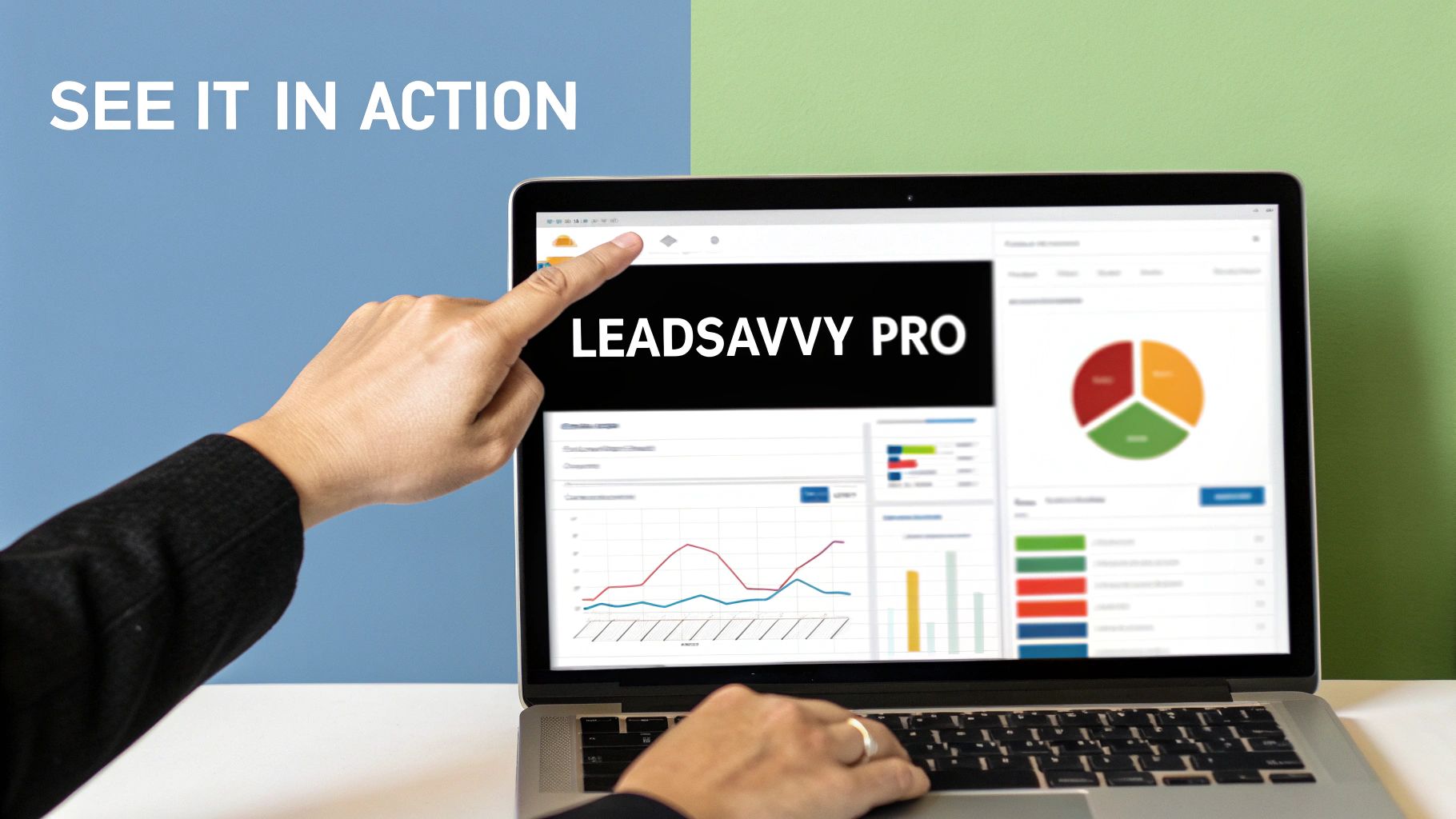
This kind of interface strips away all the usual tech headaches. You get one simple view to see exactly which ad forms are sending leads to which destinations. No guesswork.
Setting Up Instant Notifications
This is where the magic really happens. The most critical step is to set up instant email alerts for every new lead that comes in. Forget checking your spreadsheet every hour. Instead, you and your sales team get a ping the second a prospect hits submit.
This single feature slashes response times. It empowers your team to follow up in minutes—not hours, and certainly not days. In my experience, that speed is often the single biggest factor in turning a warm lead into a paying customer.
The whole point of a CRM lead generation tool is to kill the friction. An automated email alert is the simplest and most powerful way to close the gap between a lead's interest and your team's first conversation.
With this kind of setup, you’ve built a true "set it and forget it" system.
- No more manual downloads: Leads flow in 24/7, automatically.
- Instant access to data: The info appears in your Google Sheet or CRM in real-time.
- Immediate team alerts: Your team gets notified instantly so they can jump on the follow-up.
This entire workflow proves that effective automation isn’t about shelling out for complex, enterprise-level software. It’s about building a direct, reliable bridge from your marketing campaigns to your sales conversations. You can have a fully automated lead management system up and running in just a few minutes, finally freeing your team to do what they actually do best: build relationships and close deals.
Common Questions & Quick Answers
Jumping into a new, automated system for your Facebook leads is exciting, but it's natural to have a few questions. Getting comfortable with your new workflow is the goal, so let's tackle some of the most common things marketers ask when connecting Facebook ads to their CRM.
Think of this as a quick-start guide to smoothing out any bumps before you even hit them.
Do I Need a Specific CRM to Connect My Facebook Leads?
Not at all. While some CRMs come with a built-in Facebook integration, it's often more flexible to use a third-party connector like Zapier or LeadSavvy Pro. These tools are the bridge between Facebook and pretty much any CRM you can think of, from giants like HubSpot and Salesforce to a simple Google Sheet.
The real question is what fits your team's needs and budget. A tool like LeadSavvy Pro is built for one purpose: to get your leads from A to B without any fuss or complicated setup. It's perfect if you just want a direct, reliable connection that works.
What if My Facebook Form Fields Don't Match My CRM Fields?
This is probably one of the most common worries, but it's incredibly easy to solve. The magic happens during a step called "field mapping." When you're setting up the connection, you'll get a simple interface that lets you tell the system where to put the data.
It's just a matter of matching things up. For example:
- Facebook's
first_namefield goes into your CRM'sFirst Namefield. - Facebook's
email_addressfield goes into your CRM'sEmailfield.
Pro Tip: Always, always run a test lead after you map your fields. It's the only way to be 100% sure everything is landing exactly where you expect it to. This simple check prevents a world of data headaches down the road.
Getting this right ensures your lead data is clean, organized, and actually usable for your sales team from the moment it arrives.
How Fast Should We Follow Up with a New Facebook Lead?
Immediately. I'm talking as close to instant as you can get.
Study after study shows the same thing: your chances of ever connecting with, let alone converting, a lead plummet after the first five minutes. By automating the lead delivery to your CRM and triggering instant notifications, you cut out the lag time from manual CSV downloads.
Speed is your single biggest advantage. An automated system lets your team strike while the iron is hot—when the prospect's interest and intent are at their absolute peak.
Can I Send Leads from Different Campaigns to Different People?
Absolutely, and you should! This is where an automated system really starts to shine. Most good automation tools and CRMs let you build simple rules based on where the lead came from.
You can set up workflows that route leads intelligently. For instance:
- "If a lead comes from 'Campaign A,' assign it to Salesperson X."
- "If a lead fills out the form for 'Product B,' add them to the Product B email nurture sequence."
This kind of smart routing makes sure every single lead goes to the right person or the right follow-up sequence, making your team far more efficient and your marketing much more relevant.
Ready to stop messing with CSV files and start closing deals faster? LeadSavvy Pro was built to make automating your Facebook lead gen dead simple. Get your free account today and see what a difference real-time lead management can make.