What is lead retrieval? Essential Guide to Boosting Lead Capture
So, what exactly is lead retrieval?
Simply put, it’s the process of grabbing contact information from potential customers, usually from places like Facebook Lead Ads or even live events. It’s the essential handshake between someone showing interest in what you offer and your sales team actually starting a conversation with them.
What Is Lead Retrieval Explained Simply
Think of lead retrieval as your digital fishing net. When you run ads on a platform like Facebook, potential customers are essentially raising their hands and dropping their contact details into the water. The old-school way of doing things was to manually scoop up these leads with a bucket—like downloading a CSV file every few hours. This method is slow, clunky, and lets your best catches swim away before you even get to them.
Modern lead retrieval, on the other hand, automates the whole thing. It’s a smart net that instantly catches every single lead the moment they appear and sends them exactly where they need to be—your CRM, a Google Sheet, or right into your sales team’s inbox.
This isn't just a minor technical upgrade; it's a core business strategy. It guarantees you never miss an opportunity and turns passive ad spend into immediate, actionable conversations with people who want to hear from you.
Why Automation Is No Longer Optional
The need for fast, efficient lead capture is blowing up. The lead generation market was valued at $3.1 billion in 2021 and is on track to hit a massive $9.6 billion by 2028. This growth is fueled by a harsh reality: while businesses are great at getting leads, a shocking 79% of them never convert. Why? Often, it's because of delays in getting that lead from the ad platform to a salesperson. If you want to dive deeper, you can discover more insights about these lead generation statistics and what they mean for modern marketing.
This is where the difference between manual and automated methods becomes crystal clear. Let's break down why automation isn't just a "nice-to-have" anymore.
Manual vs. Automated Lead Retrieval: A Quick Comparison
When you compare the old way of handling leads to the modern, automated approach, the advantages become impossible to ignore. One method keeps you stuck in administrative tasks, while the other frees you up to focus on what actually grows your business: talking to customers.
Here’s a side-by-side look:
| Feature | Manual Retrieval (The Old Way) | Automated Retrieval (The Modern Way) |
|---|---|---|
| Speed | Slow. You're looking at delays of hours or even days, depending on how often someone remembers to check and download the files. | Instant. Leads are delivered to your sales team or systems in real-time, the moment they come in. |
| Accuracy | Prone to human error. Think data entry mistakes, typos, or missed information during the frantic copy-paste process. | 100% accurate data transfer. This eliminates manual errors and keeps your data clean and reliable. |
| Efficiency | A total time-sink. It requires constant monitoring and manual work to download, format, and hand out leads. | Fully automated. It frees up your team's time to focus on selling instead of wrestling with spreadsheets. |
| Scalability | Can't keep up. As your campaigns grow and lead volume increases, this manual process creates bottlenecks that cost you money. | Scales effortlessly. It can handle any number of leads you throw at it without delays or system strain. |
The takeaway is simple. While manual downloads might seem "free," the hidden costs in lost opportunities, wasted time, and bad data are enormous. Automation isn't just about convenience; it's about building a scalable, efficient system that turns more leads into customers.
The Hidden Costs of Slow Lead Retrieval
Imagine a potential customer raises their hand, excited about your offer, but nobody on your team even sees it for hours—or worse, days. That’s the unfortunate reality of slow, manual lead retrieval. It’s a silent killer of sales, turning hot prospects into cold, missed opportunities before you even knew they existed.
The financial impact here isn't just a few dollars. It's dramatic and it ripples through your entire business.
Every single minute that ticks by after a lead hits 'submit' is critical. We talk a lot about the “golden five-minute window” in sales and marketing, and for good reason. When you make contact within those first few minutes, the lead is still thinking about you. Their interest is at its peak, and they remember exactly why they reached out. Wait any longer, and their attention is already on to the next thing.
The Financial Drain of a Slow Follow-Up
The real cost of this delay isn’t just about a single lost sale. It’s a compounding problem that damages multiple parts of your business. When you don't have an automated system to grab those leads instantly, you set off a domino effect that directly hits your bottom line.
- Wasted Ad Spend: You paid for that click. You paid for that lead. When they go cold because your follow-up was too slow, you’ve essentially just thrown that advertising budget away.
- Demoralized Sales Teams: Nothing crushes a salesperson's spirit more than chasing down leads who have already lost interest or, even worse, signed up with a competitor who was faster.
- Damaged Brand Reputation: A slow response sends a clear message: you’re not organized, and you're not attentive. That perception can seriously harm your brand and make future customers think twice.
The core issue is simple but severe: delay erodes the value of every single lead you generate. A lead that costs you $50 to acquire is worth almost nothing if you wait a day to contact them.
The High Stakes of Speed
The data on response times paints a really clear picture of just how important speed is. In major markets, where Facebook ads drive 21% of top leads from social media, poor retrieval can cause you to lose 80% of new leads just because you didn't act fast enough. All the advantages of modern marketing just evaporate without instant follow-up. For a deeper dive, check out these speed to lead statistics and see how they impact sales.
Responding within just five minutes can boost your conversion rates by a staggering 9x. This shows why instant, automated lead retrieval isn’t just a nice-to-have—it’s a non-negotiable part of any serious marketing strategy. You can see how other lead generation statistics highlight this trend and grasp the full impact. This isn't just about being a little bit faster; it's about fundamentally changing your ability to turn interest into revenue.
How Does Lead Retrieval Actually Work?
You don’t need to be a developer to get what’s happening under the hood. At its core, modern lead retrieval is all about creating an instant, automated bridge between the place you collect leads (like Facebook) and the system you use to manage them (like a CRM or a simple Google Sheet).
Think of it like setting up direct deposit for your business. Instead of manually getting a check (downloading a CSV file), logging it, and running to the bank, your leads just show up in your account the moment they're generated. This magic is made possible by a couple of key technologies: APIs and webhooks.
The Role of APIs and Webhooks
An API (Application Programming Interface) is basically a digital messenger. When someone fills out your Facebook Lead Form, the API instantly grabs that information and carries it over to wherever you told it to go.
A webhook is similar but works more like an instant notification. The moment a new lead comes in, the webhook pings your other software and pushes the data through right away. No delays.
Together, these tools let different software platforms talk to each other in real-time. This is the secret sauce that closes the gap between someone showing interest and your sales team actually following up. If you're using a CRM, this is a game-changer. You can see how different platforms stack up by checking out a good CRM with Facebook integration.
Without this instant connection, the value of a lead drops off a cliff. Fast.
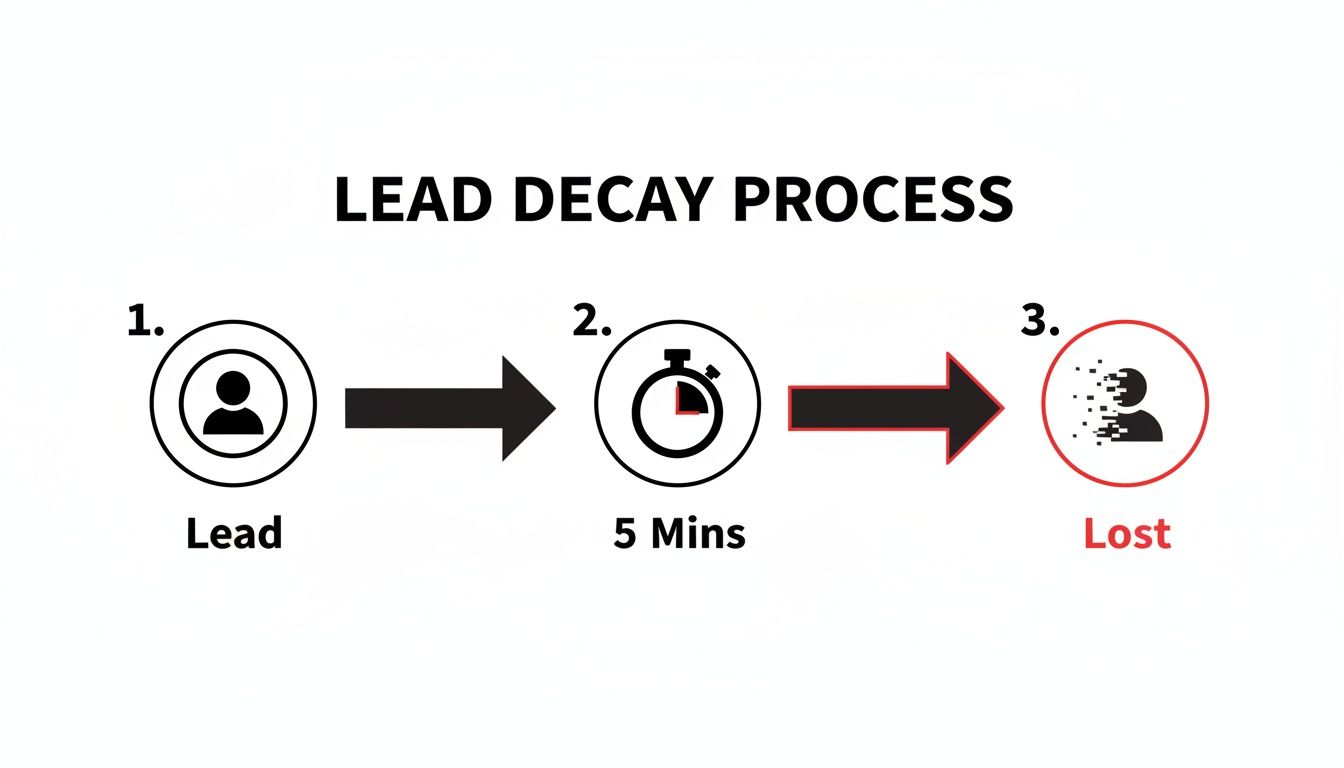
This chart says it all. That window of opportunity to engage a new lead is incredibly small, which is why real-time retrieval is no longer a "nice-to-have"—it's essential.
It's a Physical and Digital Problem
This need for speed isn’t just a digital thing. We've seen the same evolution at trade shows and events. Remember swapping business cards? Now, it's all about apps that scan a QR code and instantly capture contact details.
The challenge is the same online, where only 2% of B2B website traffic ever converts. With numbers that low, you can't afford to let a single interested person slip through the cracks. It's no wonder the lead generation software market is expected to triple to $9.6 billion—everyone is chasing that same need for speed and efficiency.
Ultimately, modern tech makes lead retrieval simple. It turns what used to be a tedious, manual chore into a smooth, automated workflow that just works.
Right, so you understand the tech behind lead retrieval. But what does it actually do for your business? That's what really matters. Automating how you get your leads isn't just a small technical fix; it's a strategic shift that plugs the biggest leaks in your sales funnel.
The most obvious win is a massive jump in speed-to-lead. When prospect info hits your sales team's dashboard in seconds—not hours—you catch them right when their interest is highest. This speed is directly tied to better conversion rates, giving you a serious leg up on slower competitors.
Then there's the data itself. Manual data entry is a mess waiting to happen. Typos in email addresses, wrong phone numbers, or entire leads getting lost in a spreadsheet shuffle are all too common. Automation gets rid of these slip-ups, making sure every piece of data is 100% accurate the second it arrives.
Maximize Your Team's Time and ROI
This efficiency completely changes the game for your team. Instead of grinding away on mind-numbing data entry, your sales and marketing folks can focus on what they're paid to do: build relationships and close deals. It's a huge morale boost when you let them do high-value work instead of administrative chores.
Think about how much you spend to get a customer. The average cost per lead (CPL) is already around $391.80, but it can easily climb over $982 in a tough market. After investing that kind of money, the last thing you want is for that lead to go cold. Automated systems with instant CRM notifications make sure your hottest leads get prioritized right away, squeezing every drop of value from your ad spend. You can learn more about these lead retrieval findings and how they play out in different industries.
Automation turns your team from data janitors into expert communicators. It frees them up to act on opportunities instantly instead of just cleaning up messy spreadsheets.
Finally, automated systems are built to grow with you. When your campaigns take off and leads start pouring in, a manual process will buckle under the pressure, creating bottlenecks that cost you sales. An automated workflow, on the other hand, handles a flood of new leads just as easily as a trickle.
This scalability gives you a few key advantages:
- Grow Without Fear: You can confidently crank up your ad spend without worrying about burying your team in work.
- Stay Consistent: Your lead response times stay instant, whether you get ten leads a day or a thousand.
- Build for the Future: You create a reliable process that supports long-term growth without demanding more manual effort.
By automating lead retrieval, you’re not just saving time. You're building a faster, more accurate, and infinitely more scalable foundation for your entire sales and marketing engine.
Alright, theory is great, but it's putting things into practice that actually gets results. You've seen how costly delays can be and what automation can do for you, so the next logical step is getting it set up. This is where a tool like LeadSavvy Pro comes in, turning the complex idea of "lead retrieval" into a simple process you can knock out in just a few minutes.
The real goal here is to get rid of the technical roadblocks and manual grunt work standing between you and your new leads. A good system should feel totally intuitive, letting you connect your Facebook ads to your sales workflow without needing to call in a developer. It’s all about making powerful automation available to everyone, no matter how tech-savvy you are.
Here’s a look at the simple, three-step connection process inside LeadSavvy Pro. It's designed to get you up and running right away.

This setup is the end game: a smooth workflow where leads from your ads are instantly organized and ready for your team to act on. The magic is in having a user-friendly dashboard that gives you full control from any device.
Setting Up Your First Workflow
Getting started with a tool like LeadSavvy Pro is refreshingly straightforward. The entire process is guided, so you can solve your lead retrieval problem from the get-go without any friction.
Here’s just how simple it is:
- Connect Your Facebook Page: First, you’ll securely link your business’s Facebook Page. This one-time authorization gives the system permission to see the new leads your ads generate. Think of it as opening the gate for your automated workflow.
- Select Your Lead Form: Next, pick the specific Facebook Lead Form you want to pull leads from. If you’re juggling multiple campaigns with different forms, no problem—you can create separate workflows for each one to keep everything tidy.
- Choose Your Destination: Finally, decide where your leads should land. For many businesses, the go-to option is Google Sheets. It creates an instant, self-updating database of all your prospects, ready whenever you need it.
The entire setup takes less than five minutes. Once connected, every new lead who fills out your form will pop up in your Google Sheet in real-time. To see this in action, check out our guide on how to connect Facebook leads to Google Sheets.
The second you complete the setup, your lead retrieval problem is solved. No more downloading CSV files. No more copying and pasting data. No more delays between a prospect showing interest and your team actually following up.
This is what makes automated lead retrieval so incredibly effective. It delivers instant results by automating the most critical—and often most neglected—part of your sales process. Let's take a look at how LeadSavvy Pro's features directly impact your day-to-day operations.
LeadSavvy Pro Feature Impact on Your Business
| Feature | What It Does | The Business Impact |
|---|---|---|
| Real-Time Sync | Instantly captures leads from Facebook and sends them to your chosen destination (e.g., Google Sheets, CRM). | Eliminates the 5-minute response time rule. You can follow up while the lead is still hot, dramatically increasing conversion rates. |
| Instant Email Notifications | Sends an email alert to you or your team the moment a new lead is captured. | No more manually checking for leads. Your team is notified immediately, so no opportunity ever falls through the cracks again. |
| Mobile-Friendly Dashboard | Gives you a clean, easy-to-use interface to view and manage leads from any device. | Manage your lead flow on the go. Perfect for small business owners and sales reps who aren't tied to a desk. |
| Multi-Destination Routing | Allows you to send leads to multiple places at once (e.g., a Google Sheet and your email). | Creates redundancy and ensures your data is always accessible. You get a master database and instant alerts without any extra work. |
With features like these, you can monitor your campaigns and ensure no opportunity is ever missed. This is what modern lead management looks like.
Best Practices for Effective Lead Management
Having an automated tool is a great start, but it's your strategy that really makes the difference. A smart lead management workflow is what turns those retrieved leads into actual revenue, ensuring you get the most out of your automation.
It all begins with crystal-clear lead routing rules. Who gets which lead, and when? You can instantly send a hot lead from a high-intent ad campaign straight to your best sales closer. At the same time, a more general inquiry can be routed into your email nurture sequence. This makes sure the right person is on the job immediately.
Just as important is having a standardized follow-up plan. Your sales team needs a consistent playbook for how and when to contact new leads. This creates a professional and effective experience for every single prospect, every single time.
Establish a Solid Data Foundation
A smooth, uninterrupted data flow is the backbone of any good lead management system. This means connecting your lead retrieval tool directly with your CRM, email marketing platform, or whatever else you’re using. This creates one single source of truth and gets rid of those frustrating data silos.
Keeping your data clean is also non-negotiable. Regularly tidying up your lead lists and making sure all the information is accurate keeps your outreach sharp and your operations running smoothly. Without instant access and a clean process, the results can be devastating.
Globally, a staggering 79% of leads never convert, often because of slow retrieval and poor management. That's a huge problem, especially when businesses are pulling in nearly 1,900 leads a month on average.
The goal isn't just to be fast. It's to be smart and compliant. Respecting user privacy with regulations like GDPR is more than just a legal box to tick—it’s how you build real trust with your audience.
Ultimately, your lead retrieval system is just the starting line of the customer journey. To really round out your strategy, it helps to understand the bigger picture of finding, attracting, and converting prospects with proven best practices for lead generation.
Still Have Questions? Let's Clear Things Up.
We've gone through the nuts and bolts of lead retrieval, but it's natural if a few questions are still bouncing around in your head. Let's tackle some of the most common ones.
Do I Need to Be a Tech Whiz to Set This Up?
Not at all. In fact, modern tools like LeadSavvy Pro are built for marketers, business owners, and sales teams—not developers.
The setup is usually just a few clicks to connect your accounts. You can have leads flowing from Facebook right into a Google Sheet or your CRM in minutes, with absolutely zero code involved. It’s designed to be that simple.
Is This Just for Facebook Leads?
Nope! While we've focused on Facebook Lead Ads in this guide, the strategy of instantly moving leads from one place to another is a must-do for any platform.
Think about it—leads from LinkedIn, TikTok, Google Ads, or even your own website forms all have the same problem: they get cold fast. The goal is always to zap that lead's info to your sales team the second it comes in.
The ROI from automated lead retrieval isn't something you wait weeks for. It's often immediate. You instantly reclaim hours of manual work and, more importantly, you can see a measurable jump in conversion rates from day one just by being faster.
How Fast Can I Expect to See a Return on My Investment?
Almost instantly. The time you save on manual downloads and the extra sales you close from faster follow-ups make automated lead retrieval one of the best bangs for your buck in marketing.
By getting rid of the delays, you squeeze maximum value out of every single lead you pay for. Your ad spend starts turning into real, tangible results right away.
Ready to stop wasting time and start converting more of the leads you're already paying for? LeadSavvy Pro makes automated lead retrieval simple, fast, and incredibly effective.
Get started for free and connect your first lead form in under 5 minutes.