The 12 Best CRM for Lead Generation From Facebook Ads (2026 Review)
Running Facebook Lead Ads is a powerful way to fill your sales pipeline, but the manual process of downloading CSVs and importing them into a spreadsheet is a major bottleneck. Every minute you spend on data entry is a minute a competitor is already talking to your lead. This delay costs you conversions. A dedicated CRM for lead generation is no longer a luxury; it's a necessity for real-time response and effective nurturing. This guide breaks down the 12 best CRMs specifically designed to integrate with Facebook Lead Ads. We'll explore how they automate lead capture, streamline follow-up, and provide the insights you need to turn ad spend into revenue, eliminating the tedious and error-prone CSV workflow for good.
This article is designed to help you find the right tool for your specific needs, whether you're a small business owner, a marketing agency managing multiple clients, or a sales team that needs faster lead alerts. We cut through the marketing jargon to give you a practical, side-by-side comparison of the top platforms.
Inside this comprehensive resource, you will find:
- A detailed analysis of 12 leading CRM platforms, including HubSpot, Salesforce, Zoho CRM, and specialized tools like LeadSavvy Pro.
- Direct comparisons of their Facebook Lead Ads integration capabilities, lead routing features, and notification systems.
- Honest pros and cons for each platform, based on real-world use cases for sales and marketing teams.
- Clear pricing breakdowns and implementation tips to help you get started quickly.
Each entry includes screenshots and direct links to help you evaluate the best CRM for lead generation from your ad campaigns. Our goal is to provide a clear, actionable guide that saves you research time and helps you choose a system that will immediately improve your lead response times and conversion rates. Let's find the right fit for your business.
1. LeadSavvy Pro
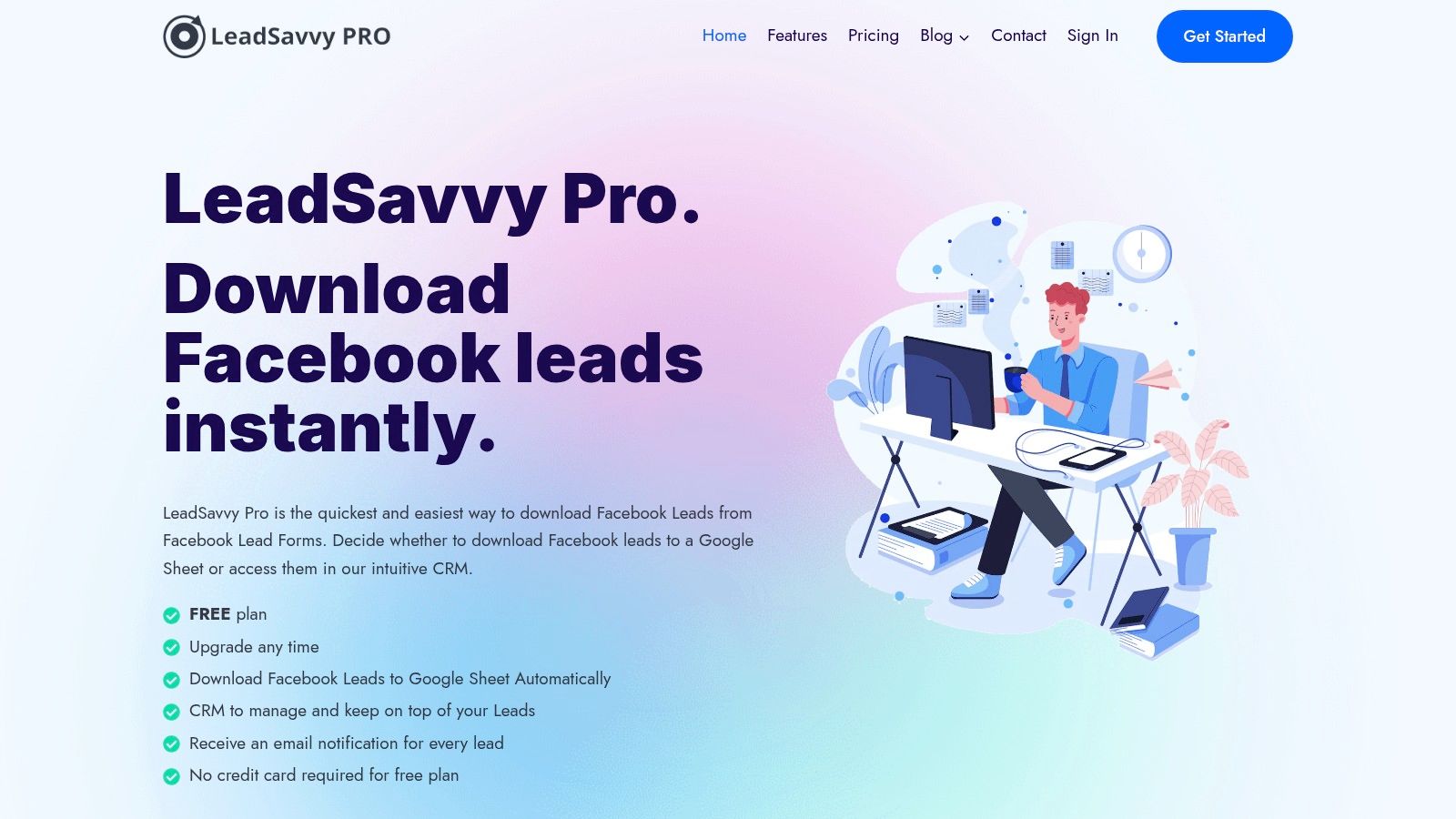
LeadSavvy Pro presents itself as a potent, specialized solution designed to bridge the critical gap between Facebook Lead Ads and effective lead management. It directly addresses a primary pain point for advertisers: the cumbersome process of manually downloading CSV files. By automating this workflow, it establishes a powerful foundation for any CRM for lead generation strategy, ensuring that high-intent leads are captured and actioned in real time.
Its standout feature is its elegant simplicity. While larger platforms offer vast but often complex automation capabilities, LeadSavvy Pro focuses on doing one thing exceptionally well: instantly routing Facebook leads to a more usable format. This makes it an ideal choice for small businesses, agencies, and solo entrepreneurs who need a reliable, no-fuss system without a steep learning curve or high costs. The platform’s lightweight, built-in CRM provides essential tools to view, organize, and manage incoming leads, turning raw data into an actionable pipeline from the moment a prospect submits their information.
Core Features and Capabilities
- Automated Lead Transfer: The core function eliminates manual CSV downloads by automatically pushing new Facebook Lead Ad submissions directly into a designated Google Sheet.
- Built-in Lightweight CRM: A simple yet effective interface allows users to view and manage leads directly within the app, providing a centralized hub for tracking and follow-up without needing a separate, complex CRM.
- Real-Time Notifications: Instant email alerts are sent for every new lead, enabling sales teams to respond within minutes, a critical factor in improving conversion rates.
- User-Friendly Setup: The platform boasts an intuitive setup wizard and optional video tutorials, making the connection between a Facebook Page and the destination (Google Sheets or the internal CRM) achievable in just a few minutes, even for non-technical users.
Pricing and Access
LeadSavvy Pro operates on a freemium model. It offers a completely free plan that does not require a credit card for sign-up, making it an accessible entry point for businesses testing Facebook Lead Ads. Paid upgrades are available for those with higher volume needs or who require additional features, positioning the service as a more cost-effective alternative to comprehensive automation tools like Zapier. Specific pricing for paid tiers is not publicly listed on the main site.
Ideal Use Case and Setup Tips
LeadSavvy Pro is best suited for marketing agencies managing multiple client ad accounts and small to mid-sized businesses that rely heavily on Facebook for lead acquisition. Its strength lies in speed and simplicity.
Setup Tip: When configuring your account, use the Google Sheets integration to create a "master" lead database. From there, you can leverage Google Sheets' native sharing and add-on capabilities to grant access to specific team members or trigger other simple workflows, all while using the built-in CRM for quick-glance management. Understanding the synergy between a CRM and lead generation is crucial for maximizing your results.
- Pros:
- Eliminates manual CSV downloads, saving significant time.
- Instant lead notifications dramatically improve response speed.
- Extremely easy to set up and use, even for beginners.
- Offers a functional free plan, providing excellent value.
- Cons:
- Lacks detailed public information on paid plan limits and pricing.
- Fewer native integrations compared to full-scale automation platforms.
Website: https://leadsavvy.pro
2. HubSpot Sales Hub (HubSpot CRM)
HubSpot is a powerhouse in the CRM space, offering an all-in-one platform that excels as a CRM for lead generation, especially for businesses scaling their inbound marketing efforts. Its free CRM provides a robust foundation, making it an accessible starting point for startups and small businesses looking to organize contacts and track deals without an initial investment. The platform’s true strength lies in its seamless integration of marketing, sales, and service tools.
The Sales Hub, available in tiered plans, builds on this foundation with powerful automation and sales acceleration features. Its native integration with Facebook Lead Ads is straightforward, automatically syncing new leads directly into the CRM. This eliminates manual data entry and allows for immediate enrollment into automated email sequences or follow-up tasks for your sales team. This process is a core component of understanding what is lead generation in marketing in a modern, automated context.
Key Features & Use Cases
- Facebook Lead Ads Integration: Connect your Facebook Ads account to automatically create new contacts in HubSpot as leads come in. This is ideal for instantly triggering welcome emails or notifying a sales rep.
- Sales Automation: Use sequences to send a series of personalized, timed emails to new leads. Workflows (in higher tiers) can automate lead rotation, task creation, and internal notifications based on lead properties.
- Lead Capture Tools: Beyond ads, HubSpot offers free forms, live chat, and meeting schedulers that you can embed on your website to capture leads from multiple channels.
Ideal For: Businesses of all sizes looking for an integrated, easy-to-use platform that can scale from a free CRM to a full-featured sales and marketing machine. It’s particularly effective for teams that value a clean user interface and extensive training resources.
Pricing & Setup
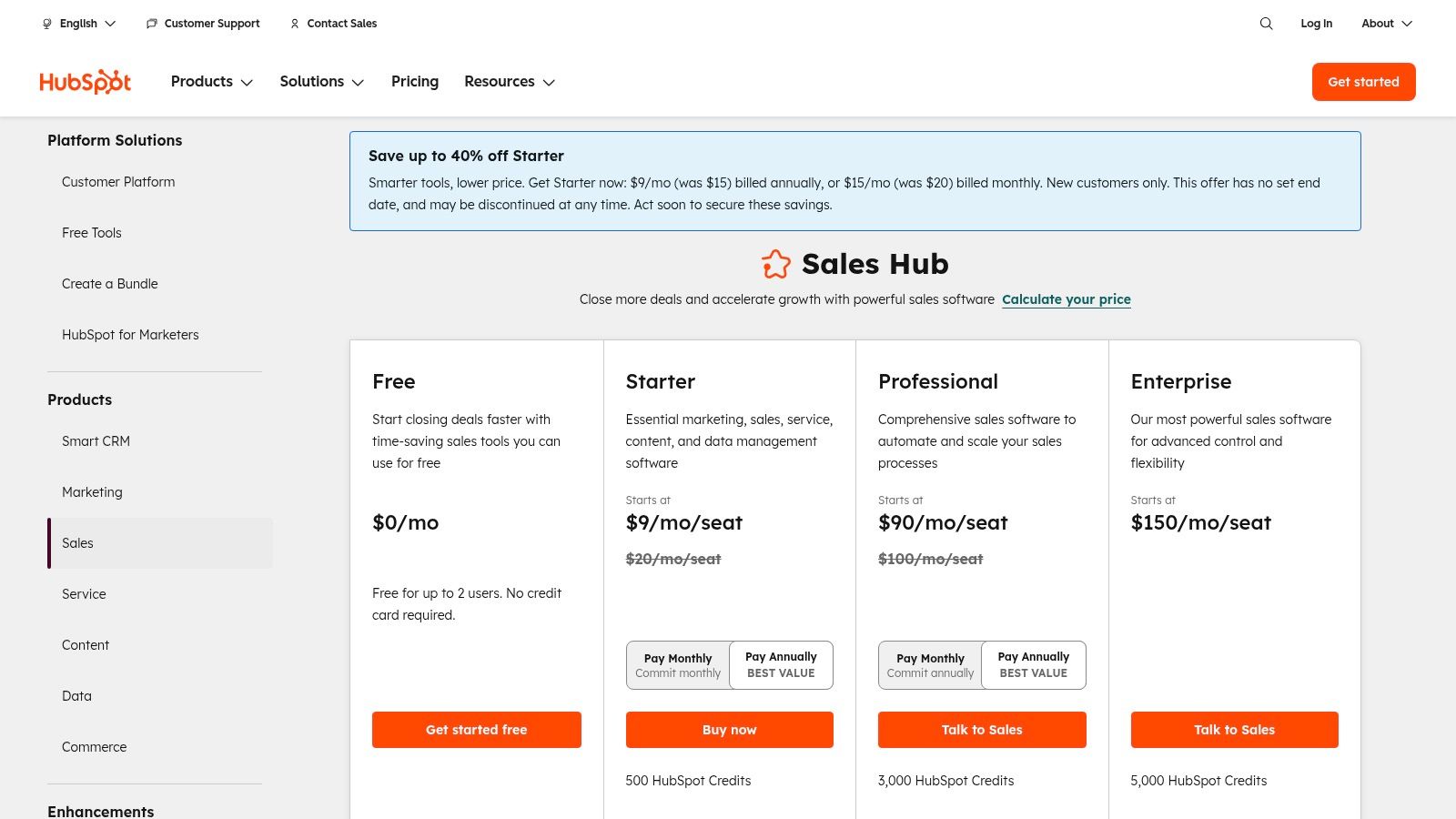
- Free Tools: A generous free-forever plan with basic CRM, lead capture, and email marketing features.
- Sales Hub Starter: Starts at $15 per seat/month (billed annually), adding simple automation and conversation routing.
- Sales Hub Professional: Begins at $90 per seat/month (billed annually), unlocking advanced automation, forecasting, and analytics.
Pros:
- Excellent free tier provides immediate value.
- Intuitive interface and vast library of training materials (HubSpot Academy).
- Large app marketplace for extensive integrations.
Cons:
- Costs can escalate quickly with additional seats and premium features.
- Mandatory onboarding fees for Professional and Enterprise tiers.
Website: https://www.hubspot.com/pricing/sales
3. Salesforce Sales Cloud
As the market leader, Salesforce Sales Cloud offers an enterprise-grade platform that serves as a powerful CRM for lead generation, especially for organizations with complex sales processes. Its strength lies in its profound customization capabilities, allowing businesses to tailor lead management, routing, and scoring to their exact operational needs. While often viewed as a tool for large enterprises, its structured approach to data governance and process automation provides immense value for scaling businesses that require a single source of truth for their sales data.
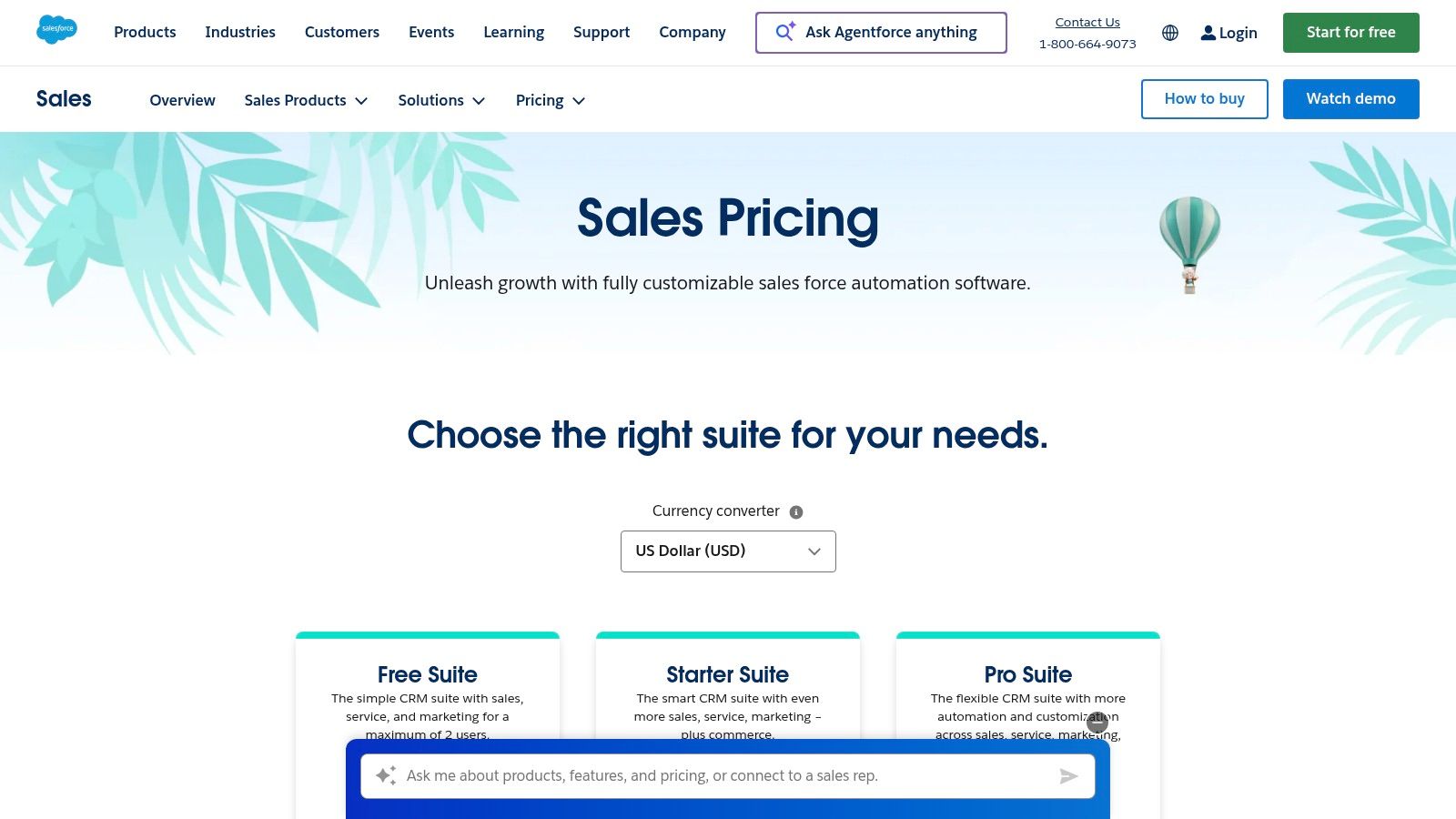
Connecting Salesforce to Facebook Lead Ads typically requires a third-party connector via its AppExchange marketplace. Once set up, new leads are created as Lead objects in Salesforce, where powerful automation tools like Salesforce Flow can take over. This allows for sophisticated routing rules based on lead source, geographic location, or custom data fields, ensuring leads are assigned to the right representative instantly.
Key Features & Use Cases
- Advanced Automation (Flow): Create complex, multi-step lead routing and follow-up processes without code. For example, a new lead can be assigned, have a follow-up task created, and be added to an email nurture campaign simultaneously.
- Lead & Opportunity Management: Deep functionality for tracking leads through a structured qualification process (MQL, SQL) before converting them into contacts, accounts, and opportunities with detailed forecasting.
- Massive AppExchange Marketplace: Extend functionality with thousands of third-party apps, including dedicated connectors for Facebook Lead Ads, marketing automation platforms, and data enrichment tools.
Ideal For: Mid-market to enterprise-level businesses that require a highly customizable CRM to manage complex sales cycles and large volumes of leads. It's best suited for teams with dedicated administrative resources or an implementation partner.
Pricing & Setup
- Starter Suite: Begins at $25 per user/month (billed annually), offering basic sales and service features.
- Professional: Starts at $80 per user/month (billed annually), adding forecasting and more robust automation.
- Enterprise: The most popular tier, starting at $165 per user/month (billed annually), which unlocks advanced workflow automation with Salesforce Flow.
Pros:
- Highly configurable to fit complex and unique business processes.
- Extensive ecosystem of certified partners and third-party applications.
- Strong analytics, reporting, and data governance capabilities.
Cons:
- Pricing and add-on structure can become complex and expensive.
- Implementation and customization often require specialized expertise or a consultant.
Website: https://www.salesforce.com/sales/pricing/
4. Zoho CRM
Zoho CRM is a highly customizable and cost-effective platform that stands out as a powerful CRM for lead generation, especially for small to mid-sized businesses. It is part of the extensive Zoho ecosystem, offering deep integrations with dozens of other business applications, from marketing automation to finance. This allows businesses to build a deeply connected and scalable lead management process without the enterprise-level price tag.
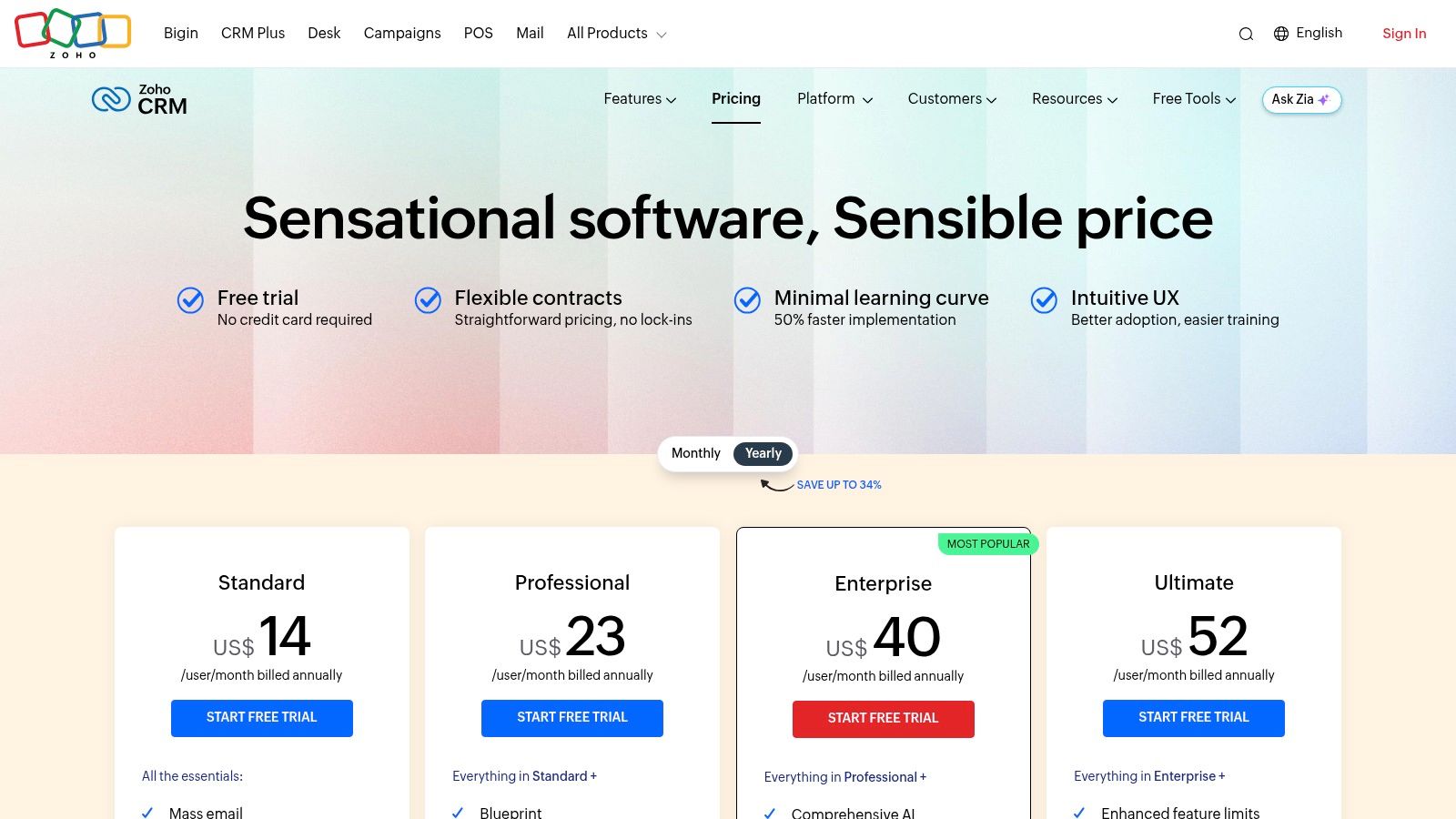
Zoho’s strength lies in its robust automation and customization capabilities. Its direct integration with Facebook Lead Ads ensures that new leads are automatically captured and funneled into the CRM. From there, you can leverage Zoho's workflow rules and Blueprints to define and enforce a specific follow-up process, ensuring no lead falls through the cracks and every sales rep knows the exact next step to take.
Key Features & Use Cases
- Facebook Lead Ads Integration: Native integration allows new leads from your Facebook campaigns to be created as leads in Zoho CRM automatically, ready for scoring and assignment.
- Workflow Automation & Blueprints: Use workflows to trigger tasks, send emails, and update fields when a new lead is added. Blueprints let you build and enforce a guided sales process for your team to follow.
- Zia AI Assistant: Zoho’s AI, Zia, can provide lead and deal predictions, suggest the best time to contact a lead, and help identify anomalies in your sales process, optimizing follow-up efforts.
Ideal For: SMBs and mid-market companies that need a highly customizable CRM with powerful automation features. It's a great choice for businesses already using or planning to use other Zoho applications.
Pricing & Setup
- Free Edition: A basic plan for up to 3 users with essential lead and contact management.
- Standard: Starts at $14 per user/month (billed annually), adding workflow rules, scoring, and mass email.
- Professional: Begins at $23 per user/month (billed annually), unlocking more advanced features like Blueprints and inventory management.
Pros:
- Competitive pricing offers strong value for its rich feature set.
- Extensive customization options to fit specific business processes.
- Seamless integration with the broad Zoho app ecosystem.
Cons:
- The user interface and some reporting tools can have a steeper learning curve.
- Advanced AI and analytics features are reserved for higher-priced tiers.
Website: https://www.zoho.com/crm/zohocrm-pricing.html
5. Pipedrive
Pipedrive is a sales-first CRM designed to help sales teams close deals faster. Its highly visual, drag-and-drop pipeline interface makes it incredibly intuitive for reps, promoting high adoption rates. While its core strength is deal management, Pipedrive extends its functionality into a competent CRM for lead generation through a suite of powerful, optional add-ons and a vast integration marketplace. This makes it a flexible choice for teams who want a simple core CRM with the ability to add lead capture capabilities as needed.
Its integration with Facebook Lead Ads, available through the marketplace, allows businesses to map ad form fields directly to Pipedrive fields. This ensures that new leads from your campaigns land in your "Leads Inbox" or a designated pipeline stage, ready for a sales rep to take immediate action. This direct flow from ad to pipeline is crucial for maintaining momentum with fresh, high-intent leads.
Key Features & Use Cases
- Visual Sales Pipelines: Track leads as they move through your sales process with a clear, activity-based methodology. This is ideal for sales teams that need an at-a-glance view of their deal flow.
- LeadBooster Add-on: A powerful toolkit that includes a Chatbot, Live Chat, Web Forms, and Prospector to find outbound leads. Use Web Forms to capture website visitors and the Chatbot to qualify them automatically.
- Activity-Based Selling: Pipedrive prompts reps to schedule their next activity (a call, email, or meeting) for every deal, ensuring no lead falls through the cracks.
Ideal For: Small to medium-sized sales teams that prioritize ease of use and a visually intuitive interface. It's a perfect fit for businesses that want a dedicated sales pipeline tool and are willing to use add-ons for expanded lead generation features.
Pricing & Setup
- Essential: Starts at $14 per user/month (billed annually), offering basic deal and pipeline management.
- Advanced: Begins at $29 per user/month (billed annually), adding email sync and automation features.
- Professional: Starts at $59 per user/month (billed annually), with more advanced reporting and customization.
- Add-ons: LeadBooster starts at an additional $32.50 per company/month (billed annually).
Pros:
- Extremely easy to use with a fast and simple setup process.
- Excellent pipeline visualization provides unmatched clarity for sales reps.
- Large marketplace with over 500 integrations.
Cons:
- Many essential lead generation tools (like web forms and chatbot) require paid add-ons.
- Advanced reporting and automation are locked behind higher-tier plans.
Website: https://www.pipedrive.com/en/pricing
6. Freshsales by Freshworks
Freshsales by Freshworks offers an intuitive, sales-focused CRM for lead generation with powerful built-in communication tools. Its standout feature is the integration of phone, email, chat, and SMS directly within the platform, reducing the need for sales reps to switch between different applications. The platform also leverages its AI, "Freddy," to provide predictive lead scoring and deal insights, helping teams prioritize their most promising prospects.
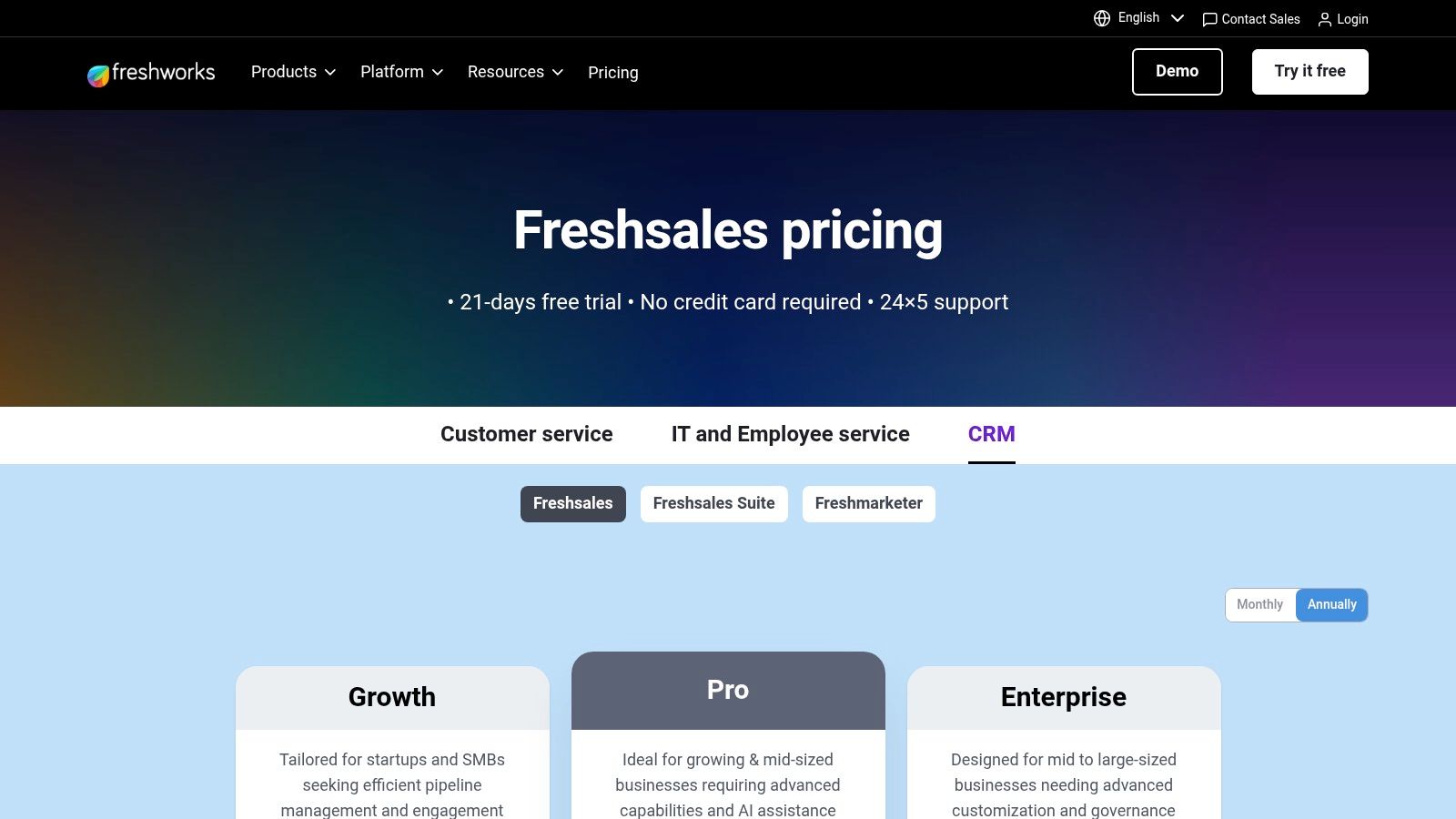
For Facebook lead generation, Freshsales integrates via the Freshworks Marketplace. Once connected, new leads are automatically created as contacts in the CRM, where they can be immediately assigned to a sales representative or enrolled in an automated sales sequence. This unified approach ensures that a new lead from a Facebook ad can receive an immediate, personalized email follow-up without manual intervention.
Key Features & Use Cases
- Multichannel Communication: Engage new leads directly from the CRM using the built-in phone, email, and chat. This is perfect for sales teams needing to respond quickly across various channels.
- Freddy AI: Use AI-powered lead scoring to automatically identify and prioritize high-intent leads captured from Facebook Ads, ensuring your sales team focuses on the best opportunities first.
- Sales Sequences: Create and automate multi-touch email campaigns to nurture new leads over time. This helps maintain engagement and move prospects through the sales funnel efficiently.
Ideal For: Small to mid-sized businesses that want a CRM with integrated communication tools to enable rapid lead response. Its generous free plan also makes it a strong contender for startups and small teams.
Pricing & Setup
- Free: A capable free-forever plan for up to 3 users, including contact management, chat, email, and phone.
- Growth: Starts at $9 per user/month (billed annually), adding sales sequences and a visual sales pipeline.
- Pro: Begins at $39 per user/month (billed annually), unlocking multiple sales pipelines, territory management, and advanced workflows.
Pros:
- Attractive entry-level pricing and a robust free tier for small teams.
- Native communication tools consolidate the sales tech stack.
- Offers a 21-day free trial with no credit card required.
Cons:
- Advanced AI and governance features are reserved for higher-tier Enterprise plans.
- Pricing can vary based on region and currency.
Website: https://www.freshworks.com/crm/pricing/
7. ActiveCampaign Sales CRM
ActiveCampaign is best known for its marketing automation prowess, but its integrated Sales CRM makes it a formidable CRM for lead generation. It excels at connecting the entire customer journey, from the initial ad click to a closed deal, all within one unified platform. This tight integration allows businesses to automate sophisticated nurturing and sales follow-up sequences based on lead behavior and engagement.
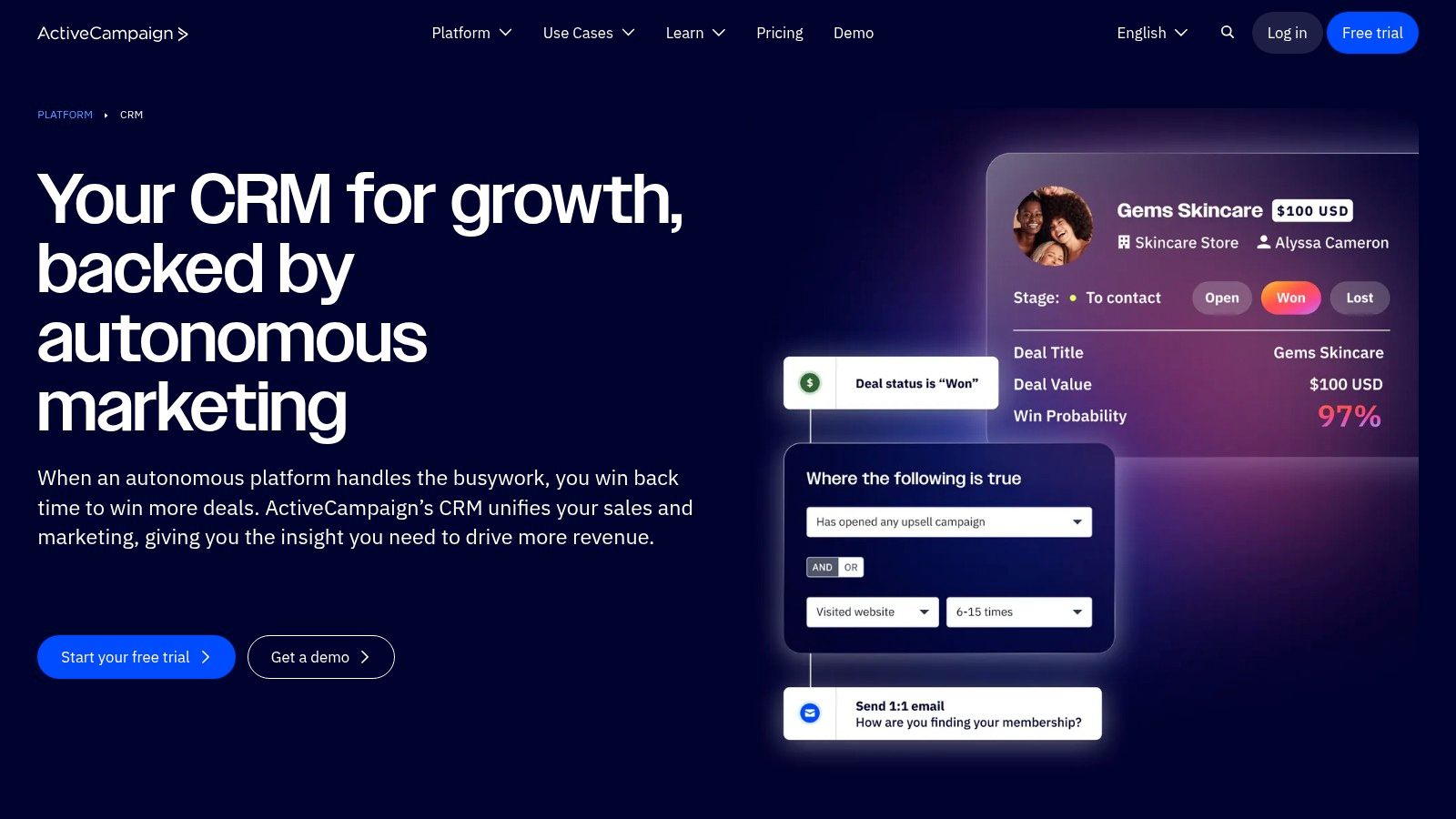
The platform’s strength lies in its automation builder, which uses a visual, drag-and-drop interface. When a new lead from Facebook Ads enters the system, you can instantly apply tags, add them to a specific deal pipeline, and trigger an email or SMS sequence. Its lead scoring capabilities are also native, allowing you to prioritize the hottest leads for your sales team automatically. This level of integrated intelligence is a prime example of what is CRM automation and how it can directly impact sales efficiency.
Key Features & Use Cases
- Advanced Automation Builder: Create complex, conditional workflows that nurture leads differently based on their actions, such as visiting a pricing page or clicking a specific link in an email.
- Lead Scoring: Automatically assign points to leads based on demographics, engagement, and behavior. This helps sales teams focus their efforts on contacts most likely to convert.
- Integrated CRM and Marketing: Manage deal pipelines, create tasks, and send one-to-one sales emails directly from the same platform that runs your email marketing campaigns.
Ideal For: Small to mid-sized businesses that want to build sophisticated, end-to-end lead nurturing and sales processes. It’s perfect for teams that need to bridge the gap between marketing engagement and direct sales activities.
Pricing & Setup
- Sales Plus: Starts at $19 per user/month (billed annually), includes the CRM, automation, and email marketing.
- Sales Professional: Begins at $49 per user/month (billed annually), adding lead scoring and split automations.
- Note: Pricing scales with the number of contacts in your database, which can increase costs significantly as you grow.
Pros:
- Powerful and flexible automation engine.
- Combines marketing and sales tools seamlessly.
- Quick time to value for setting up automated workflows.
Cons:
- Contact-based pricing can become expensive for large lists.
- Can feel complex for users who only need basic CRM functions.
Website: https://www.activecampaign.com/platform/sales-crm
8. Keap (formerly Infusionsoft)
Keap, widely known by its former name Infusionsoft, is a veteran in the automation space, positioning itself as a powerful all-in-one CRM for lead generation targeted at small and mid-sized service businesses. It combines advanced automation, sales pipeline management, and unique business features like invoicing and appointment scheduling into a single platform. This consolidated approach aims to streamline the entire customer lifecycle from initial lead capture to final payment.
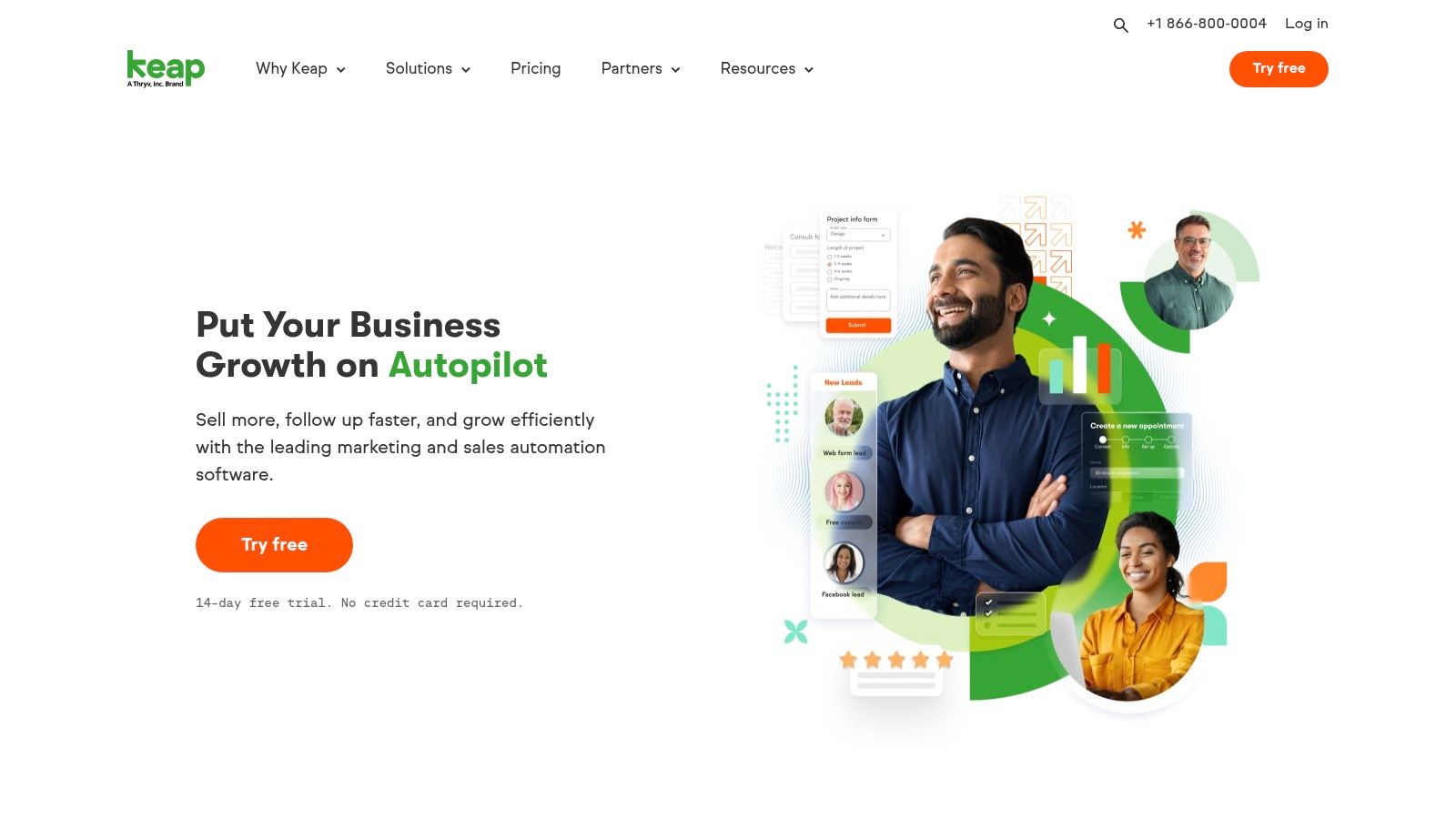
The platform’s strength is its visual automation builder, which allows for the creation of sophisticated lead nurturing sequences. When integrated with Facebook Lead Ads, new leads can be instantly funneled into these campaigns, triggering a series of personalized emails, SMS messages, and internal tasks. This capability makes it an excellent choice for businesses that have a longer sales cycle and require multi-step follow-up to convert leads effectively.
Key Features & Use Cases
- Advanced Automation Campaigns: Use the visual "Campaign Builder" to map out complex follow-up sequences based on lead actions and properties, perfect for long-term nurturing.
- Integrated Sales & Marketing: Manage contacts, track deals in a pipeline, send quotes, schedule appointments, and process payments all within one system.
- Text Message Marketing: Incorporate SMS messaging directly into your automated campaigns to reach leads on their mobile devices for appointment reminders or special offers.
Ideal For: Established small to mid-sized businesses, especially service-based ones, that need a single platform to manage marketing automation, sales, and client billing. It’s best suited for teams that are ready to invest in a more robust, all-in-one solution.
Pricing & Setup
- Pro: Starts at $159 per month (billed annually) for 2 users and 2,500 contacts, including CRM, automation, and landing pages.
- Max: Starts at $229 per month (billed annually) for 3 users and 5,000 contacts, adding features like lead scoring and analytics.
- Max Classic: Custom pricing for the most advanced, original Infusionsoft features.
Pros:
- Powerful and highly customizable automation capabilities.
- Consolidates many business tools (CRM, invoicing, appointments) into one platform.
- Optional professional services are available for hands-on setup and strategy.
Cons:
- Higher starting price point compared to many competitors.
- The interface can have a steeper learning curve for new users.
- Additional costs for onboarding and expert coaching can be significant.
Website: https://keap.com
9. Close CRM
Close is a high-velocity sales engagement CRM designed for speed and efficiency. It stands out as a powerful CRM for lead generation for teams that prioritize immediate, multi-channel follow-up. Its core strength is the native integration of calling, SMS, and email into a single, unified inbox, empowering sales reps to contact new leads from platforms like Facebook Ads within moments of their arrival. This rapid response capability is crucial for maximizing conversion rates from paid ad campaigns.
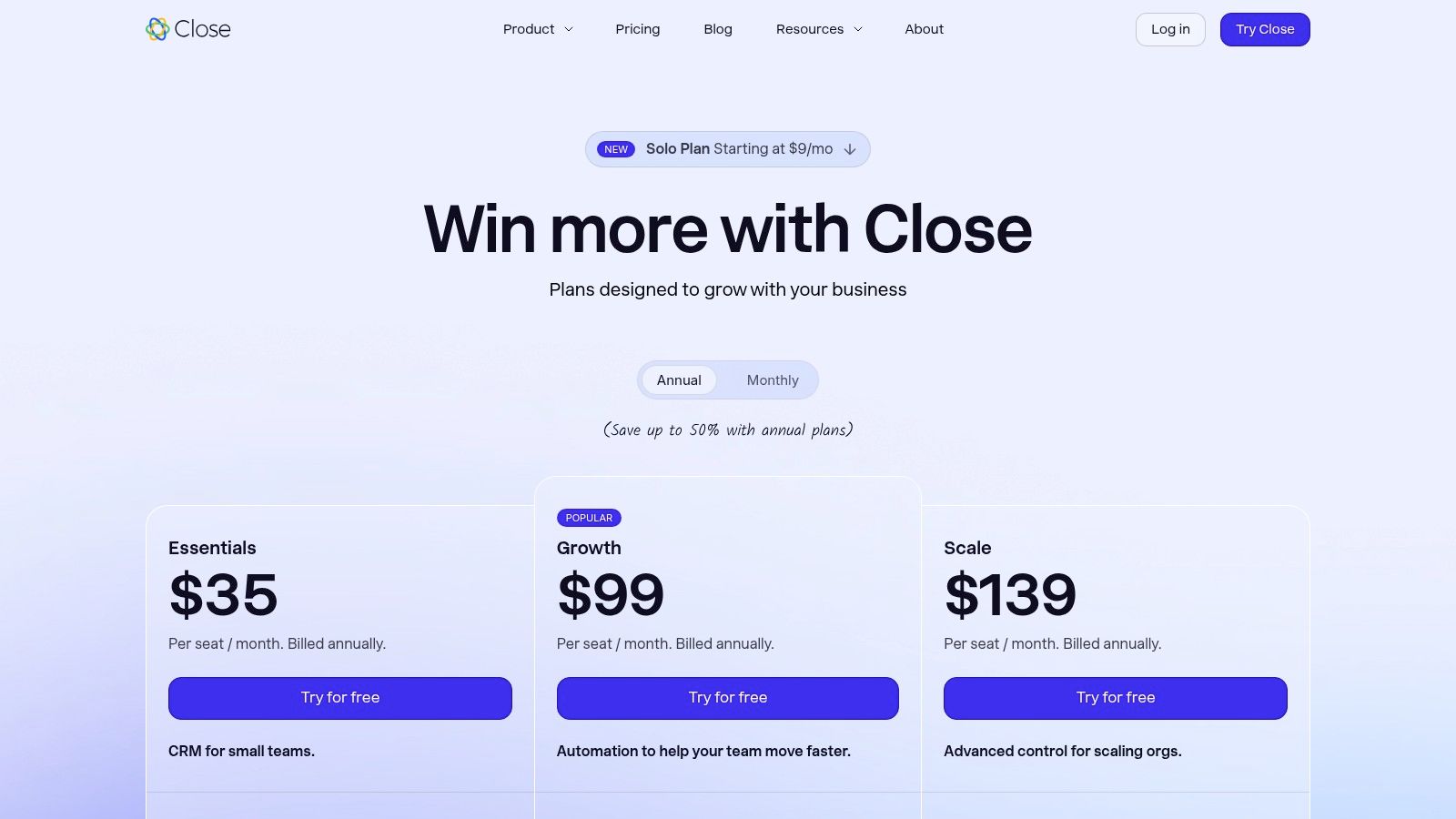
While Close doesn't offer a direct, built-in Facebook Lead Ads integration, it connects seamlessly through tools like Zapier. Setting up a "Zap" to create or update a contact in Close when a new lead is submitted on Facebook is a straightforward process. Once configured, you can use Close's powerful automation to trigger call lists, enroll leads into email sequences, or send an initial SMS, making it a formidable tool for outbound-focused teams.
Key Features & Use Cases
- Native Dialers and SMS: Equip your team with built-in power and predictive dialers for rapid lead calling directly from the CRM. This is perfect for high-volume lead lists where speed-to-lead is the most critical metric.
- Sales Automation: Use sequences to automate multi-channel outreach, combining emails, calls, and SMS into a single, cohesive follow-up campaign for new leads.
- Centralized Inbox: All lead communication, including calls, emails, and texts, is tracked in one chronological timeline, giving reps full context before every interaction.
Ideal For: Sales-driven teams and SMBs that need an all-in-one communication and sales CRM to execute high-velocity outbound follow-up on leads from various sources, including social media ads.
Pricing & Setup
- Startup: Starts at $49 per user/month (billed annually), includes the core CRM, email, and a standard dialer.
- Professional: Begins at $99 per user/month (billed annually), adding email sequences and a power dialer.
- Scale: Starts at $149 per user/month (billed annually), unlocking the predictive dialer and advanced call analytics.
Pros:
- Excellent telephony and dialing features are baked directly into the platform.
- Fast setup and an interface geared for outbound SDR/BDR motions.
- Paid tiers include unlimited contacts, which is great for high-volume lead generation.
Cons:
- Telephony usage and certain add-ons incur extra costs on top of the subscription.
- The Startup plan is limited, and key automation features require higher-tier plans.
Website: https://close.com/pricing
10. monday sales CRM
monday sales CRM is a highly visual and flexible platform built on the monday.com Work OS. It stands out as a CRM for lead generation for teams that need to build completely custom workflows without writing any code. Its core strength lies in its customizable boards, which allow sales and marketing teams to visually track leads through every stage of the pipeline, from initial capture to closing the deal. This visual-first approach simplifies complex processes and makes data highly accessible.
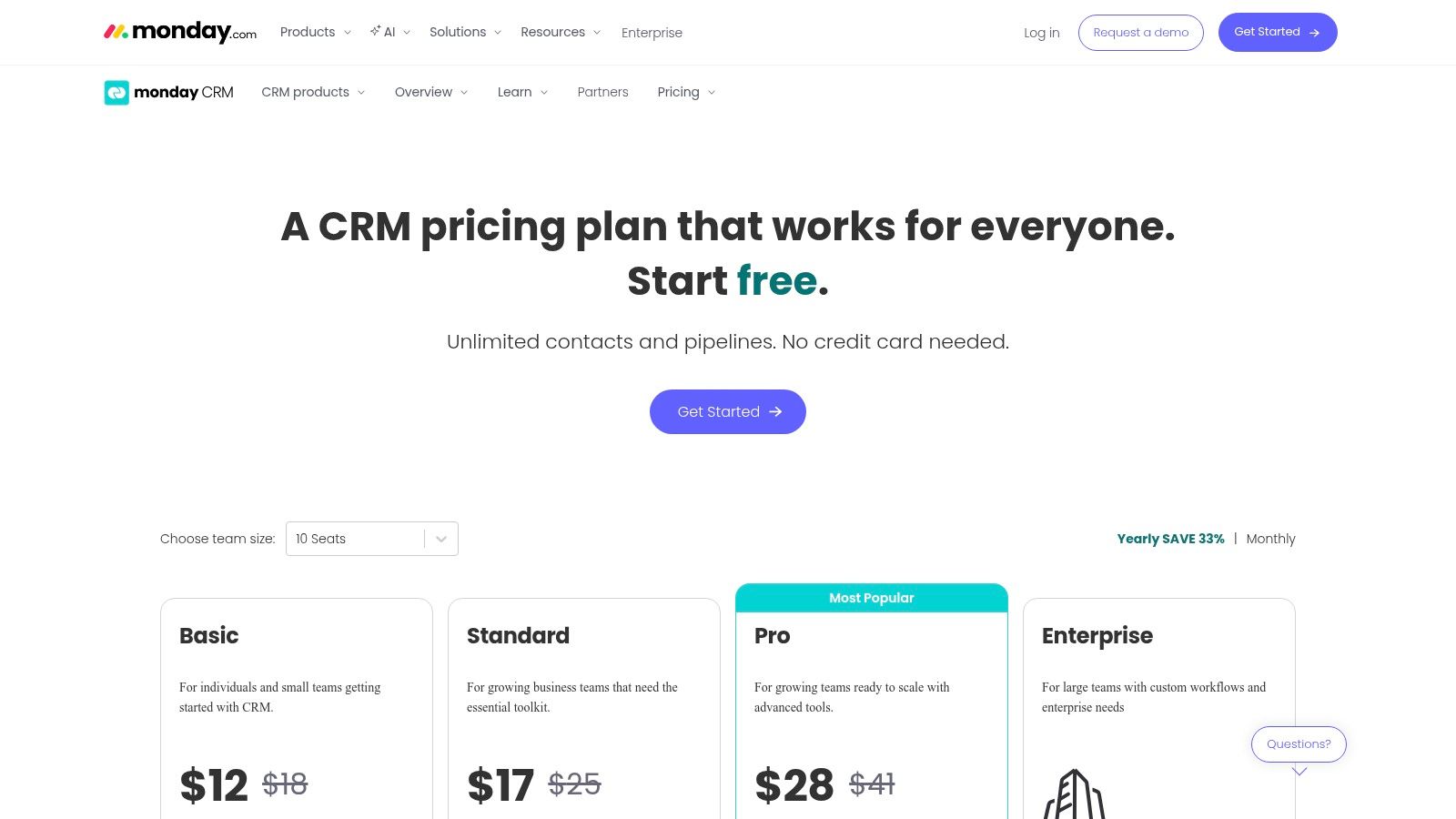
The platform’s power comes from its robust automation capabilities. You can set up "recipes" to automatically move leads between stages, assign reps, send notifications, and log activities. For Facebook Lead Ads, you can use an integration (via Zapier or native tools) to instantly create a new item on your lead board, centralizing all incoming prospects in one place. This ensures no lead falls through the cracks and follow-up is immediate.
Key Features & Use Cases
- Customizable Lead Workflows: Build visual lead management boards tailored to your exact sales process. Use different column types to track lead source, status, priority, and contact details.
- No-Code Automations: Create rules to automate repetitive tasks. For example, when a new lead from Facebook is added, automatically assign it to a sales rep in a round-robin fashion and create a task to call them.
- Centralized Communication: Sync your Gmail or Outlook to track all emails with a lead directly on their card. Log calls, notes, and meetings to maintain a complete interaction history.
Ideal For: Teams that want a completely customizable, visual CRM and already use or appreciate the monday.com ecosystem for project management. It's great for businesses with unique sales processes that don't fit standard CRM models.
Pricing & Setup
- Basic CRM: Starts at $12 per seat/month (billed annually), with a 3-seat minimum. Includes unlimited customizable pipelines and contacts.
- Standard CRM: Starts at $17 per seat/month (billed annually), adding advanced account/contact management and quotes.
- Pro CRM: Begins at $28 per seat/month (billed annually), unlocking sales forecasting, email automation, and deeper analytics.
- A 14-day free trial is available for all plans.
Pros:
- Extremely flexible and configurable without needing code.
- Intuitive, visual interface makes it easy to track progress.
- Large template library helps accelerate the setup process.
Cons:
- Paid plans require a minimum of 3 seats, which can be costly for solo users.
- Can feel more like a project management tool than a dedicated sales CRM at times.
Website: https://monday.com/crm/pricing
11. Microsoft Dynamics 365 Sales
Microsoft Dynamics 365 Sales is an enterprise-grade platform that functions as a powerful CRM for lead generation, particularly for organizations already invested in the Microsoft ecosystem. Its core strength lies in its deep, native integration with Microsoft 365, Teams, and the Power Platform, creating a unified environment for sales, communication, and data analysis. This positions it as a go-to solution for companies that need robust customization, governance, and advanced AI capabilities.
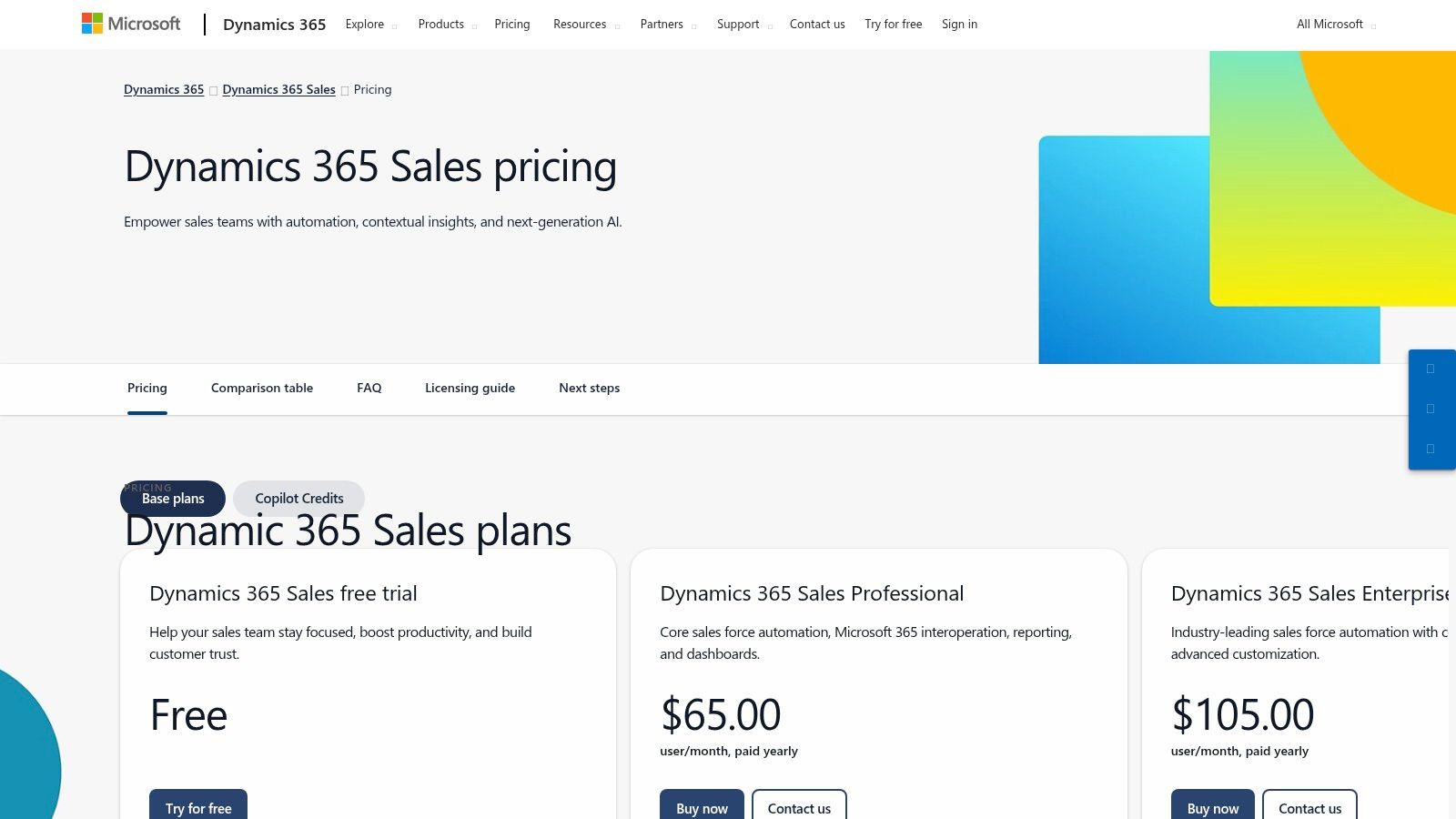
While native Facebook Lead Ad integration isn't a direct, one-click feature like in some other CRMs, it is achievable through Microsoft's Power Automate. This allows you to build custom workflows (called "Flows") that connect to the Facebook Lead Ads trigger. Once a new lead is submitted, Power Automate can instantly create a lead record in Dynamics 365, assign it to a salesperson, and even post a notification in a specific Microsoft Teams channel, ensuring rapid follow-up.
Key Features & Use Cases
- Advanced Automation with Power Automate: Create sophisticated, multi-step workflows to process leads from Facebook. This is ideal for complex lead scoring, routing to specialized teams based on ad campaign data, and triggering sequences of activities.
- AI with Copilot: Leverage Copilot for AI-assisted lead and opportunity summaries, email generation, and meeting preparation. This helps sales teams quickly understand a new lead's context and respond effectively.
- Deep Customization with Power Apps: Build custom apps and interfaces on top of Dynamics 365 to match unique sales processes, giving you complete control over how lead data is managed and viewed.
Ideal For: Mid-sized to large enterprises standardized on Microsoft's technology stack. It's a strong fit for businesses that require high levels of customization, enterprise-grade security, and seamless integration with tools like Outlook and Teams.
Pricing & Setup
- Sales Professional: Starts at $65 per user/month, offering core sales force automation for businesses with more straightforward needs.
- Sales Enterprise: Begins at $95 per user/month, adding customization, contextual insights, and more advanced features.
- Sales Premium: Priced at $135 per user/month, this tier includes sales intelligence and conversation intelligence tools.
Pros:
- Seamless integration with Microsoft 365 and Teams.
- Highly scalable customization and enterprise controls.
- Strong AI roadmap aligned with Microsoft Copilot.
Cons:
- Complexity and setup requirements can be significant to achieve full value.
- Higher learning curve for small or non-technical teams.
Website: https://www.microsoft.com/en-us/dynamics-365/products/sales/pricing
12. Copper CRM
Copper is the ultimate CRM for lead generation for businesses that live and breathe inside Google Workspace. Its unique selling proposition is its deep, native integration with Gmail, Google Calendar, and Google Drive, allowing teams to manage leads and customer interactions without ever leaving their inbox. This Google-first approach makes it incredibly intuitive for teams already accustomed to the Google ecosystem, significantly reducing onboarding time and friction.
While it lacks a direct, native Facebook Lead Ads integration, Copper connects seamlessly through Zapier. You can set up a "Zap" to automatically create a new person and a lead in Copper the moment a new lead is submitted through your Facebook ad. This workflow keeps your pipeline updated in real-time and leverages Copper’s strength: managing the subsequent follow-up directly from Gmail, where contact history and deal information appear in a convenient sidebar.
Key Features & Use Cases
- Google Workspace Integration: Automatically syncs emails, contacts, and calendar events. The Chrome extension surfaces CRM data directly within Gmail, making lead management effortless.
- Contact & Lead Enrichment: Copper automatically finds and adds social profiles, company information, and other details to your contacts, providing valuable context for sales outreach.
- Visual Sales Pipelines: Drag-and-drop pipelines give you a clear, visual overview of your lead generation funnel, from initial contact to a closed deal.
Ideal For: Small to mid-sized teams heavily reliant on Google Workspace (Gmail, Calendar, Drive). It's perfect for businesses that want a CRM that feels like a natural extension of their existing workflow rather than a separate, complex platform.
Pricing & Setup
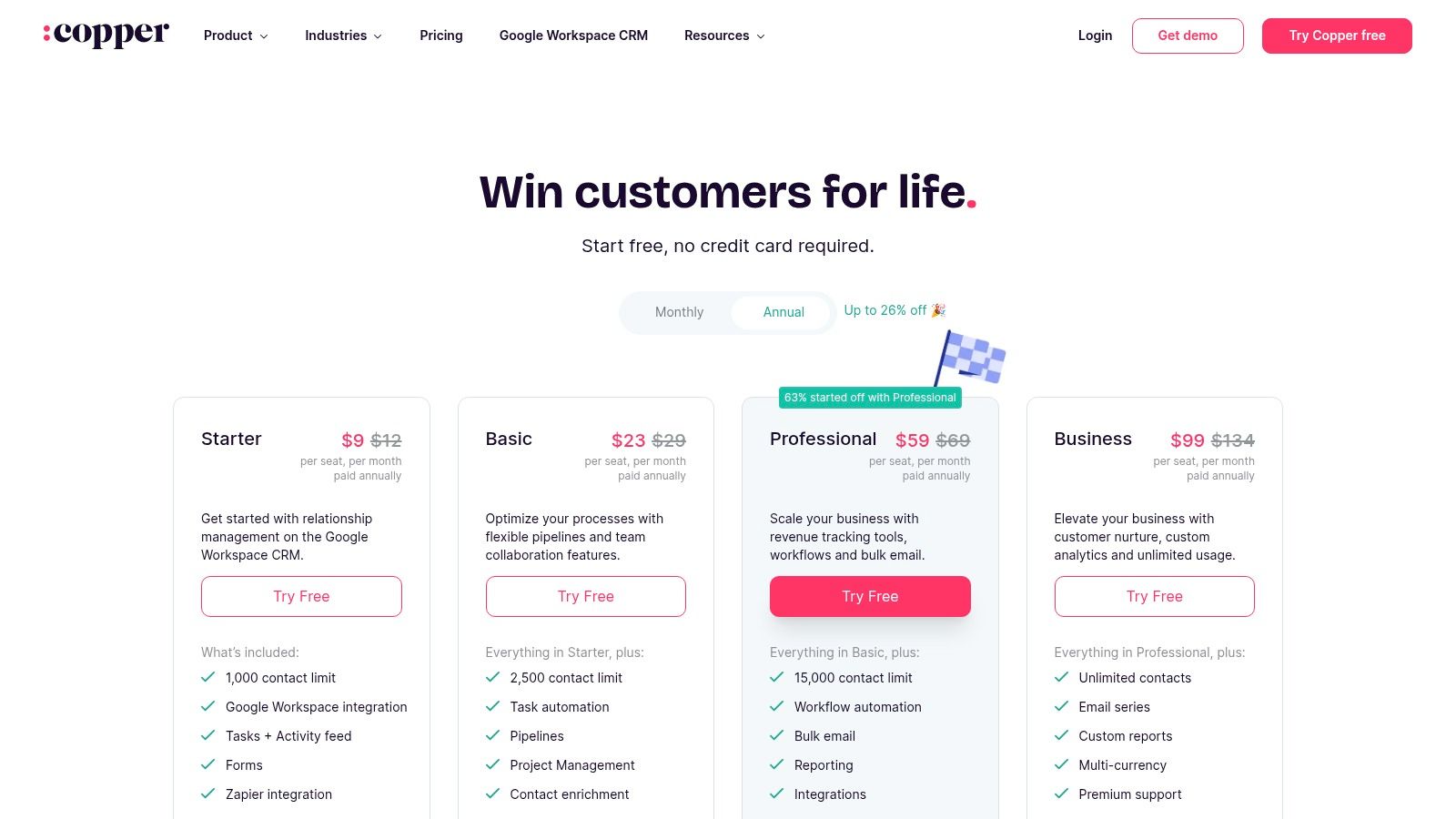
- Basic: Starts at $23 per seat/month (billed annually), with a 2,500 contact limit and full G-Suite integration.
- Professional: Begins at $59 per seat/month (billed annually), adding workflow automation, bulk emails, and more integrations.
- Business: Starts at $99 per seat/month (billed annually), offering lead and activity insights and unlimited contacts.
Pros:
- Best-in-class Google Workspace integration.
- Simple onboarding and a highly intuitive user experience.
- Designed for teams that work primarily in Gmail.
Cons:
- Relies on Zapier for Facebook Lead Ads integration.
- Contact limits on lower-tier plans can be restrictive.
- Advanced automation is reserved for higher-priced plans.
Website: https://www.copper.com/pricing
Top 12 Lead-Gen CRM Comparison
| Product | Core features | UX / Quality (★) | Price / Value (💰) | Target audience (👥) | Unique selling points (✨) |
|---|---|---|---|---|---|
| LeadSavvy Pro 🏆 | Auto push FB leads → Google Sheets / built‑in CRM, email alerts | ★★★★☆ | 💰 Free plan + affordable upgrades; no card req. | 👥 SMBs, agencies, solo marketers | ✨ Eliminates CSV downloads; instant lead sync |
| HubSpot Sales Hub (HubSpot CRM) | Forms, chat, meeting links, workflows, analytics | ★★★★★ | 💰 Strong free tier; seats‑based paid tiers | 👥 Growing teams, inbound marketers | ✨ Large ecosystem + Academy resources |
| Salesforce Sales Cloud | Lead routing/scoring, Flow automation, AppExchange | ★★★★☆ | 💰 Enterprise pricing; modular add‑ons | 👥 Large enterprises, complex processes | ✨ Highly configurable + massive app marketplace |
| Zoho CRM | Multichannel capture, Blueprints, Zia AI | ★★★★☆ | 💰 Competitive SMB pricing | 👥 SMBs wanting value + customization | ✨ Tight suite integration; strong feature set |
| Pipedrive | Visual pipelines, activity tracking, mobile apps | ★★★★★ | 💰 Mid‑range; add‑ons for lead gen | 👥 Sales reps, SMB sales teams | ✨ Very intuitive pipeline UX |
| Freshsales (Freshworks) | Chat, email, phone, Freddy AI scoring | ★★★★☆ | 💰 Free up to 3 users; attractive entry pricing | 👥 Early‑stage teams, small sales orgs | ✨ Native comms reduce tool switching |
| ActiveCampaign Sales CRM | CRM + email/SMS automation, lead scoring | ★★★★☆ | 💰 Scales by contacts; can get costly | 👥 Businesses needing end‑to‑end nurturing | ✨ Strong automation between marketing & sales |
| Keap (Infusionsoft) | Visual automations, payments, appointments | ★★★☆☆ | 💰 Higher starting price; pro services avail. | 👥 SMBs needing payments + automation | ✨ Consolidated payments + business features |
| Close CRM | Native calling, SMS, predictive dialers | ★★★★☆ | 💰 Mid‑high; telephony usage extra | 👥 Outbound SDR/BDR teams | ✨ Best‑in‑class telephony + dialers |
| monday sales CRM | Custom boards, automations, dashboards | ★★★★☆ | 💰 Pro/Enterprise for advanced features; min seats | 👥 Teams wanting no‑code customization | ✨ Highly configurable visual Work OS |
| Microsoft Dynamics 365 Sales | Copilot, Power Platform, advanced forecasting | ★★★★☆ | 💰 Enterprise pricing; Microsoft stack benefits | 👥 Enterprises standardized on MS 365 | ✨ Deep MS integration + enterprise governance |
| Copper CRM | Native Gmail/Calendar/Drive sync, pipelines | ★★★★☆ | 💰 Google‑centric pricing; lightweight plans | 👥 Teams living in Google Workspace | ✨ Best Google Workspace integration |
Choosing the Right Automation Path for Your Facebook Leads
Navigating the crowded landscape of CRM platforms can feel overwhelming, but making the right choice is a pivotal step in transforming your Facebook ad spend into tangible revenue. We've explored a wide spectrum of tools, from dedicated connectors like LeadSavvy Pro to comprehensive, all-in-one ecosystems like HubSpot and Salesforce. The central takeaway is clear: manual lead management via CSV downloads is no longer a viable strategy for businesses serious about growth. The speed of your response is directly correlated with your conversion rate, and automation is the engine that drives that speed.
Choosing the best CRM for lead generation isn't about finding the platform with the most features; it's about identifying the one that solves your most immediate and critical problems without creating unnecessary complexity. Your decision should be a strategic one, balancing your current needs with your future ambitions.
From Manual Hassle to Automated Flow: Key Decision Factors
Before you commit to a platform, reflect on the core challenges you face. Is your primary bottleneck the time it takes to get a new Facebook lead from the ad platform into the hands of your sales team? Or is it the lack of a centralized system to track a lead’s entire journey from first click to final sale?
Consider these critical factors when making your choice:
- Speed vs. Complexity: For many small businesses and agencies, the most urgent need is simple: eliminate the CSV file. A tool like LeadSavvy Pro excels here, offering a direct, lightning-fast sync to Google Sheets and real-time alerts without the overhead of a full CRM. In contrast, a platform like Salesforce or Microsoft Dynamics 365 offers immense power but requires significant setup, training, and a dedicated administrator to leverage its full potential.
- Team Size and Workflow: How does your team operate? A solo entrepreneur or a small sales team might thrive with a visual, intuitive interface like Pipedrive or monday sales CRM. Larger, more structured sales organizations will benefit from the robust lead routing, territory management, and reporting features found in enterprise-level systems like Zoho CRM or Salesforce Sales Cloud.
- Budget and Scalability: Your budget is a practical starting point. Tools like Freshsales and Copper offer competitive entry-level plans that provide immense value. However, it's crucial to look at the total cost of ownership. Consider the price of higher tiers as your team grows, potential implementation fees, and the cost of any necessary add-ons. Choose a solution that can scale with you, not one that will price you out as you succeed.
- Marketing and Sales Alignment: Do you need a tool that just handles sales, or one that bridges the gap between marketing and sales? ActiveCampaign and Keap are prime examples of platforms built around marketing automation, making them ideal for businesses that rely on sophisticated email nurturing sequences. HubSpot also excels at this, providing a unified view of every marketing and sales interaction.
Your Actionable Next Steps
Armed with this information, your path forward should be deliberate. Don't get distracted by shiny features you don't need. When choosing the right automation path for your Facebook leads, it’s crucial to understand the fundamental principles of how to generate leads online. This broader context will help you see your CRM not just as a database, but as a core component of your entire growth strategy.
Start by mapping your current lead flow, identifying every manual step and delay. Then, shortlist 2-3 tools from this list that align with your budget, team size, and primary pain points. Sign up for free trials and run a real-world test. Connect your Facebook Lead Ads form and see how quickly a test lead appears in the system and how your team is notified. This hands-on experience is the ultimate tiebreaker.
Ultimately, the perfect CRM for lead generation is the one your team will actually use. Whether you choose a streamlined connector to supercharge your existing spreadsheets or a full-featured platform to manage your entire customer lifecycle, the goal is the same: to act on every lead with precision and speed, ensuring no opportunity is wasted and every dollar of your ad spend is maximized.
Ready to eliminate CSV downloads and start converting leads in minutes, not hours? LeadSavvy Pro is the fastest way to sync your Facebook leads directly to Google Sheets and receive instant email or Slack notifications. Stop losing valuable leads to manual delays and see how simple, effective lead automation can be. Try LeadSavvy Pro today and streamline your entire lead generation workflow.