Choosing a CRM for Financial Advisers a Comprehensive Guide
Trying to run a modern financial advisory practice with a generic, off-the-shelf CRM is like trying to build a custom Swiss watch with a hammer and a wrench. You might have some basic tools, but you’re completely missing the precision instruments needed for the intricate, delicate work of managing wealth and client relationships.
Why a Standard CRM Fails Financial Advisers
Most CRMs are built for a simple, linear sales cycle: a lead comes in, it becomes an opportunity, and then you close a sale. They are fantastic for tracking products and one-off transactions.
But a financial adviser's world is fundamentally different. It's not about transactions; it's about decades-long relationships, absolute confidentiality, and tangled webs of household connections. A generic CRM just wasn't built for that reality.
The Compliance and Confidentiality Gap
The single biggest failure of a standard CRM is its complete inability to handle the heavy burden of regulatory compliance. As an adviser, you operate under the watchful eyes of bodies like the SEC and FINRA. They have strict rules for everything—data storage, communication archiving, and detailed audit trails.
A generic CRM has none of this built-in. It won't have the unchangeable logs to track every data tweak or the specialized archiving to capture every client text and email for a compliance review. Using one is like building a bank vault with a screen door. It simply ignores the foundational security your practice demands.
A purpose-built CRM for financial advisers isn't a luxury; it's a critical piece of infrastructure. It provides the guardrails that protect both your clients and your firm from costly compliance missteps and data breaches.
Navigating Complex Relationships
Another massive shortcoming is how standard systems see people. A normal CRM sees "John Smith" as one contact record. End of story.
But in your world, John is part of a household with his wife, Jane. They have two kids with 529 plans you manage. On top of that, he has a business partner with a key person insurance policy you also put in place. These connections are everything.
A generic CRM can't map or visualize these complex, multi-layered relationships. This blindness prevents you from getting the full picture of a client’s financial life, making holistic planning next to impossible. The financial services industry is already waking up to this reality. A Deloitte survey found that 72% of banks and 64% of insurance companies are now using advanced, industry-specific CRM solutions. Learn more about AI CRM adoption rates across industries.
Before we dive deeper, let's look at a quick comparison.
Standard CRM vs. Financial Adviser CRM at a Glance
This quick comparison highlights the critical capability gaps between a generic CRM and a platform built for financial professionals.
| Feature | Standard CRM Capability | Financial Adviser CRM Requirement |
|---|---|---|
| Relationship Tracking | Manages individual contacts and companies. | Maps complex households, trusts, and business entities. |
| Compliance | No built-in compliance tools. | SEC/FINRA-compliant communication archiving & audit trails. |
| Data Security | General data protection features. | Advanced encryption and access controls for sensitive PII. |
| Workflows | Generic sales pipeline automation. | Automates client onboarding, reviews, and compliance tasks. |
| Reporting | Basic sales and activity reports. | Tracks AUM, financial goals, and household-level data. |
As you can see, the differences aren't minor—they're fundamental.
This is exactly why a specialized CRM for financial advisers is so essential. It’s designed from the ground up to handle your unique challenges, giving you the specific tools you need to build trust, guarantee compliance, and grow your practice the right way.
The Core Features of a Financial Adviser CRM
Let's move past the generic buzzwords. A specialized CRM for financial advisers isn't just a digital rolodex or a fancy spreadsheet. Think of it as the central nervous system for your entire practice—the command center that handles everything from compliance to client relationships.
Its features aren't just "nice-to-haves"; they're mission-critical for security, efficiency, and real growth. So, what are the non-negotiables? There are five pillars that every adviser's CRM absolutely must have.
This diagram shows how these essential needs stack up, starting with the bedrock of security and compliance.
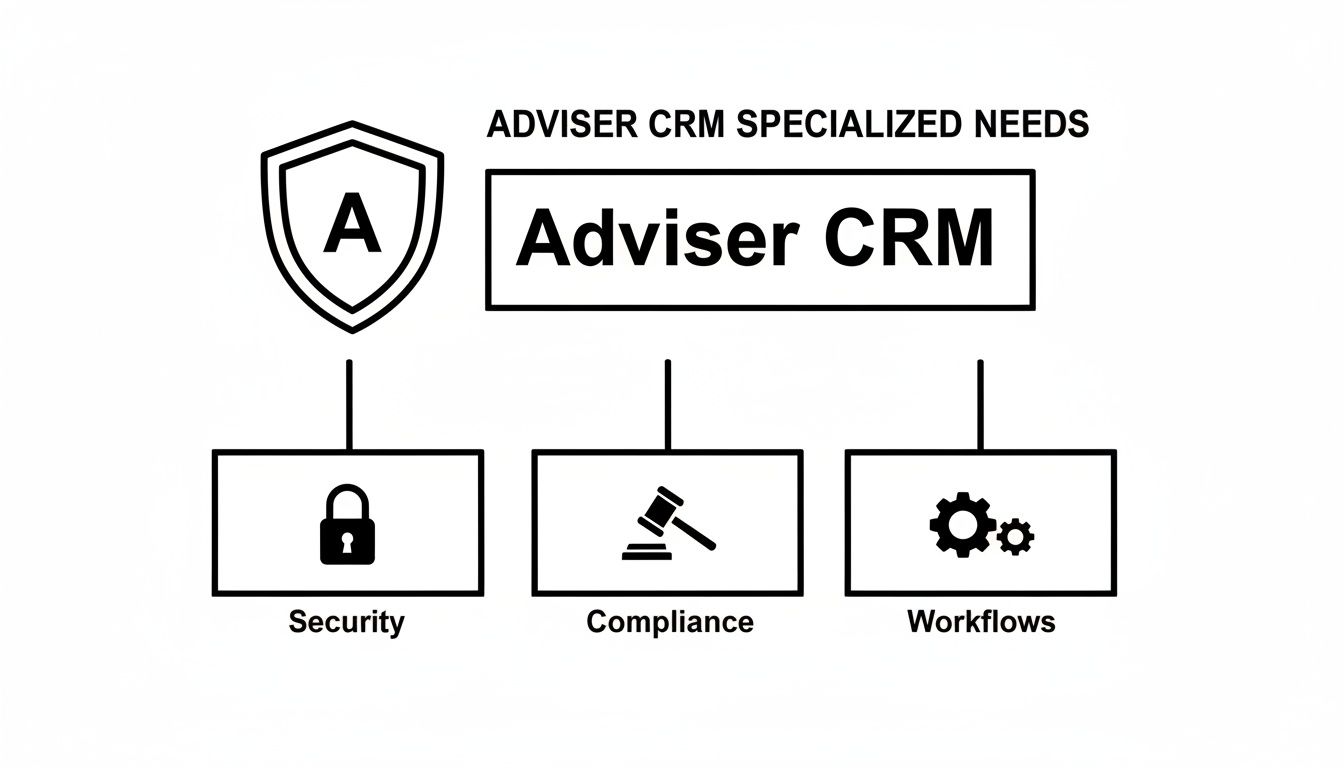
As you can see, security and compliance form the foundation. Without them, everything else is just window dressing.
Ironclad Security and Unwavering Compliance
In our world, security isn't a feature; it’s the price of entry. You're handling incredibly sensitive client data—Social Security numbers, account details, intimate financial goals. A purpose-built CRM understands this and wraps that data in layers of protection far beyond what standard software offers.
We're talking about advanced data encryption, both when the data is moving and when it's sitting on a server. It also needs immutable audit trails. That means every single change, access, or communication gets logged permanently, creating a clear history that will satisfy regulators like the SEC and FINRA. Archiving every email, text, and client message isn't optional—it's table stakes for being audit-ready.
Seamless Client Onboarding and Management
A great advisory CRM takes the painful, paper-heavy onboarding process and turns it into a smooth, digital experience. Instead of chasing down forms, it uses automated workflows to guide new clients through data gathering, account applications, and e-signatures. This makes a fantastic first impression and cuts down on frustrating admin work and costly errors.
But it goes deeper than that. The CRM becomes the home for a complete, 360-degree view of your client, including:
- Financial Goals: Actively tracking progress toward retirement, college funding, or that dream vacation home.
- Risk Tolerance: Documenting and updating how a client feels about market swings over time.
- Household Connections: Visually mapping out the entire family tree—spouses, kids, trusts, and business entities—so you understand the full picture.
Comprehensive Activity Tracking
For an adviser, "activity" is so much more than just a sales call. A specialized CRM gets this. It creates a single source of truth for every single client interaction, which is just as important for delivering great service as it is for staying compliant.
This means logging phone calls and emails, sure, but also secure portal messages, tasks for annual reviews, and notes from compliance checks. Let’s say you discuss a strategy change with a client—the notes, date, and your reasoning are locked into their record. This creates an unchangeable log that protects both you and your client.
If you want to dig deeper into the principles of good data management, check out this guide on lead management software, as many of the core ideas apply here, too.
Insightful Reporting and Analytics
A generic CRM shows you a sales pipeline. A financial adviser CRM should show you the health of your entire business. The analytics have to be built around the metrics that actually matter to an advisory firm.
A study from Pareto Systems found that advisers using a well-integrated tech stack, with a CRM at its core, can slash their administrative time from 41% of their week down to just 15%. That’s a massive chunk of time you get back to spend with clients.
Your dashboard shouldn't be about lead volume. It should give you instant answers to questions like:
- AUM Growth: How are assets under management trending by client, household, or even by adviser?
- Ideal Client Segments: Who are my most profitable clients? What do they have in common?
- Referral Trees: Where is my best new business really coming from?
These aren't just interesting numbers; they're the data you need to make smart, strategic decisions instead of just going with your gut.
Purpose-Built Automated Workflows
This is where the magic really happens. The true power of a great CRM for financial advisers is its ability to automate the repeatable, critical processes that eat up your day. These workflows handle the routine stuff, freeing you up to focus on what you do best: building relationships and giving advice.
Think about a workflow for Required Minimum Distributions (RMDs). It could automatically kick off 90 days before the deadline, creating tasks for your team to calculate the amount, contact the client, and process the withdrawal. Or imagine an annual review workflow that schedules meetings and assigns prep work all on its own.
These automated sequences ensure every client gets the same high-quality, consistent service, every single time. It's how you scale your practice without letting things fall through the cracks.
How to Choose the Right CRM for Your Practice
Picking a CRM for your financial advisory practice feels a lot like navigating a maze. With countless options all claiming to be the perfect fit, it’s ridiculously easy to get lost in a sea of flashy features and convincing sales pitches. But with the right approach, you can cut through the noise and find a platform that actually serves your business.
Think of it less like shopping and more like conducting a series of really important interviews. You need a solid framework to ask the right questions and figure out what's essential versus what's just an expensive distraction. The goal here is to invest in a system that becomes the true operational hub of your practice, not just another piece of software you have to constantly work around.
Start with Your Must-Have Features
Before you even book a single demo, you have to get crystal clear on what a CRM absolutely must do for you. This non-negotiable list is your North Star. Without it, you’ll get sidetracked by cool-looking features that don't solve your core business problems.
Your list should be tailored to the unique grind of a financial advisory firm, with a heavy focus on deep integrations and a design that people will actually want to use. Here are the four critical areas to dig into:
- Integration Power: Does this CRM play nicely with the tools you already rely on every single day? We're talking about your custodian, financial planning software like eMoney or RightCapital, and any marketing tools you use. A CRM that can’t connect to your existing tech stack just creates more manual work, which defeats the entire purpose.
- User Experience (UX): Let's be honest—is the interface clean and intuitive, or will your team need a PhD to figure it out? A powerful CRM is completely useless if nobody on your team wants to log in. A good system should feel natural and make daily tasks easier, not harder.
- Scalability for Growth: Can this platform grow with you? Think about the journey from a solo advisor to a multi-advisor firm. The right CRM for financial advisers should be a partner in your growth, not a bottleneck holding you back.
- Vendor Support and Training: What kind of support can you realistically expect when things go wrong? Look for vendors who offer solid onboarding programs and have responsive support teams that actually understand the compliance and operational needs of the financial services world.
Quick reminder: The best CRM isn't the one with the longest feature list. It's the one that executes the features you actually need flawlessly. Always prioritize function over flair to get a real return on your investment.
Creating Your Evaluation Checklist
Okay, now that you have your core criteria, it's time to build a practical checklist of questions to hit every vendor with. This simple step transforms you from a passive browser into an informed evaluator, ensuring you make a decision based on facts, not just a slick presentation.
Your Vendor Interview Checklist:
-
Integration and Workflow:
- Can you show me a live demo of how this integrates with my specific custodian and financial planning software? Don't just tell me, show me.
- How does your workflow engine automate our client onboarding process from the first touch to the final signature?
- Can my team build custom workflows for things like annual client reviews or RMD processing without calling in a developer?
-
User Adoption and Training:
- What does your onboarding process actually look like for a firm of our size?
- Do you provide ongoing training resources we can use, like webinars or a detailed knowledge base?
- What’s your average response time for support tickets? Be specific.
-
Data and Reporting:
- How customizable are the reporting dashboards? Can I see what I need to see at a glance?
- Can I easily track key metrics like AUM per household or client segmentation without running complex queries?
- What’s the real process for migrating all of our existing client data into your system? How messy will it be?
While financial advisors have very specific needs, many of the core principles of choosing a great CRM—like workflow automation and client portals—are shared across professional services. This is a common theme when finding the best CRM for accounting firms as well. The fundamentals of a thorough evaluation don't change much in industries built on deep client relationships and operational precision. By sticking to this structured approach, you can confidently pick a CRM that will become a powerful engine for your practice's growth and efficiency.
Automating Your Lead Funnel with CRM Integration
If you're managing leads from your online ads by hand, you're almost certainly leaving money on the table. For financial advisers running Facebook ads, the old routine is a killer: download a CSV, wrangle it into a spreadsheet, then manually create contacts in your CRM. It’s slow, clunky, and a perfect recipe for human error.
Worst of all, every hour that ticks by between a prospect raising their hand and you reaching out, that lead gets colder and colder.
The fix is to build a direct bridge from your marketing platform to your CRM for financial advisers. That bridge is automation. It guarantees no prospect ever falls through the cracks and turns a manual chore into a hands-off process that lets you follow up the second a lead is interested.
The Problem with Manual Lead Management
Picture this: a potential high-net-worth client fills out your Facebook Lead Ad form on a Tuesday morning. But you're stuck in back-to-back client meetings all day. You don't even get a chance to download the latest spreadsheet until Wednesday afternoon.
By the time you finally call them, they’ve already spoken to two other advisers. Sound familiar?
This scenario happens all the time. The manual process is fundamentally flawed because it creates a critical delay. That lag doesn't just give competitors a head start; it also sends a signal to the prospect that your practice might not be as sharp or responsive as they need.
This visual shows just how simple lead automation can be, turning that manual headache into a smooth, streamlined process.

The key takeaway is that automation removes the human bottleneck. Leads get actioned in real-time, not just when your schedule finally frees up.
How CRM Integration Creates an Automated Funnel
A tool like LeadSavvy Pro acts as that essential bridge, connecting your Facebook ads directly to your CRM. Instead of leads just sitting in Facebook's system waiting for you, their data is instantly captured and sent right where your team works every day.
This is the core idea behind CRM integration—connecting separate systems to create one unified, powerful workflow. You can learn more about CRM integration and see how it can plug into other parts of your business.
The automated process is beautifully simple:
- Prospect Submits Info: A potential client sees your ad and fills out your Facebook Lead Ad form.
- Instant Capture: A tool like LeadSavvy Pro immediately grabs that lead's data.
- Automatic CRM Entry: A new contact is created in your CRM with all their details—name, email, phone, and answers to any custom questions.
- Immediate Notification: You or your team get an instant email alert, prompting a follow-up call or message within minutes.
This isn't just about saving a few minutes on admin work. It's a strategic advantage that massively increases your odds of turning an interested prospect into a lifelong client.
By connecting your lead sources directly to your CRM, you transform your marketing from a passive data collection exercise into an active, real-time engagement engine. This shift is crucial for advisers who want to maximize their ROI on digital advertising.
The Growing Role of AI in Lead Management
This move toward automation is getting a massive boost from AI being built into modern adviser CRMs. Advisers aren't just using AI to manage leads anymore; they're using it to intelligently score and prioritize them.
A recent Bellomy Research survey of 490 advisers found that 46% are already using AI and another 46% are actively looking into it. These AI systems use predictive analytics to boost conversion rates by an estimated 20-40%. They do it by scoring leads based on financial history and behaviors—a huge edge when you're targeting high-value prospects.
This level of intelligent automation is quickly becoming the new standard. To get a better sense of how technology can streamline your work, check out examples of effective telephony CRM integration, which uses the same principles to connect your phone system directly to your client database. By embracing these integrations, you ensure every high-value prospect gets the timely, professional attention they deserve, turning your ad spend into real, tangible growth.
Successfully Implementing Your New CRM
Choosing the right CRM for financial advisers is a huge win, but it's really just the first step. The real payoff comes from a smart, strategic implementation. Just switching on the software without a game plan is like giving your team a brand-new sports car with no keys—all that potential is just sitting there, completely out of reach.
A successful rollout is less about the technology itself and more about your people and processes. It’s a culture shift that needs solid leadership, clear communication, and a real focus on building better habits. If you treat this like the strategic project it is, you'll nail user adoption and start seeing a real difference in your firm's efficiency and client service.
Start with Clean Data
Before you even think about importing a single contact, you have to get your data hygiene in order.
Migrating messy, outdated, or duplicated data into a new CRM is like moving into a beautiful new house but bringing all your old junk with you. You’re just cluttering up the new system from day one, which makes it impossible for your team to trust the information they're seeing.
This is the perfect chance to purge old prospect lists, fix outdated contact info, and standardize how you enter data. A clean database means your team is working with accurate information and helps you dodge compliance headaches down the road. For a smooth transition without losing critical info, you might want to check out our guide on how to prevent data loss during a system migration.
Use a Phased Rollout
Instead of flipping the switch for the entire firm at once, start with a small pilot group. Find a few tech-savvy team members who are genuinely excited about the new system. Let them use it for a couple of weeks to iron out any kinks, spot training gaps, and figure out the best ways to use it.
This phased approach does a few key things for you:
- Spots Issues Early: It’s way easier to fix a workflow problem with three users than it is with thirty.
- Creates Internal Champions: Your pilot team becomes your go-to group of internal experts who can help train and support their colleagues when it's time to go live.
- Builds Momentum: Their positive experiences and success stories will build real excitement for the firm-wide launch.
Appoint a CRM Champion
Every great CRM implementation has a dedicated champion. This is someone on your team who takes ownership of the system and becomes the go-to person for questions, training, and making it better over time. This person doesn’t have to be a manager, but they should be organized, respected, and truly passionate about using technology to move the business forward.
The champion’s job is to drive adoption, get feedback from the team, and work with your CRM provider to squeeze every last drop of value out of the platform. Empowering someone in this role sends a crystal-clear message: this CRM is a long-term priority for the firm.
Master Core Workflows First
Don't try to boil the ocean on day one. Instead of throwing every single feature at your team and overwhelming them, focus on mastering one or two critical workflows first. The most logical starting point is usually client onboarding, since it’s a repeatable process that directly impacts client experience and your firm's efficiency.
Research shows that only 34% of teams actually use their CRM to its full potential, with most using less than half the available features. But here’s the kicker: firms with high adoption report 86% satisfaction and achieve over five times higher sales efficiency.
Once your team has the onboarding process down cold, you can start layering in other processes, like preparing for annual reviews or managing new leads. This gradual approach builds confidence and makes sure each new feature is adopted effectively before you move on to the next.
True adoption is a journey, not a destination. Following these steps will ensure your new CRM becomes the powerful engine your practice needs to grow.
Essential Workflows You Can Implement Today
A great CRM for financial advisers is more than just a digital rolodex; it's the engine that drives consistency and efficiency in your practice. The real magic happens when you turn theory into action with automated workflows. Don't worry, this isn't about complex coding. These are simple, repeatable sequences that ensure every client gets the same white-glove service, every single time.
Here are three practical blueprints you can build right now. They’ll deliver immediate value, cut down on administrative drag, and make sure nothing ever falls through the cracks. Think of each one as a clear roadmap to building a more efficient firm from day one.
The New Prospect Workflow
When a new lead comes in, the clock is ticking. This automated sequence should kick off the second a prospect hits your CRM, ensuring you make a fast, professional follow-up while they're still interested. It's your digital handshake, and it needs to make a perfect first impression.
A simple but effective new prospect workflow looks like this:
- Trigger: A new lead is created in the CRM, either from a web form or manual entry.
- Task 1: Instantly assign a task to the right adviser for an initial follow-up call, due within 24 hours.
- Action 2: Automatically send a personalized intro email with an info packet or a link to book a discovery call.
- Task 3: Create a follow-up task for 3 days later to schedule the formal discovery meeting if you haven't heard back.
The Annual Client Review Workflow
The annual review is the cornerstone of the adviser-client relationship, but the prep work can be a massive time sink. This workflow gets the ball rolling well in advance, automating everything from gathering documents to post-meeting action items. It guarantees you walk into every review completely prepared.
Automating routine processes like review prep frees you up from administrative busywork so you can focus on high-value, strategic conversations. This workflow not only ensures consistency but also shows clients a proactive, organized approach they will appreciate and trust.
This process should start 90 days before the scheduled review date:
- 90 Days Out: A task is automatically created for your team to request updated financial documents from the client.
- 30 Days Out: Another task pops up for the adviser to prepare the performance report and meeting agenda.
- 1 Day After Meeting: A final task is assigned to send a summary email and implement any action items discussed during the review.
The Client Onboarding Workflow
First impressions are everything. A clunky, disorganized onboarding process can kill a new client’s confidence before the relationship truly begins. This workflow acts as a comprehensive checklist, guiding every step from a signed agreement to a fully funded account. It creates a seamless and positive experience right from the start.
This workflow ensures every new client gets the same meticulous, compliant, and welcoming treatment.
- Agreement Signed: The workflow kicks off, creating tasks to open new accounts and send a welcome kit.
- Accounts Opened: A task is assigned to your team to initiate the asset transfer process (ACATs).
- Assets Transferred: A final task is generated to confirm account funding and schedule the initial investment strategy meeting.
Frequently Asked Questions
When you're close to making a decision, a few key questions always pop up. Here are some straight answers to the most common queries we hear from advisers choosing a new CRM.
How Much Should I Budget for a Financial Adviser CRM?
It’s a bit like asking "how much does a car cost?"—it really depends on what you need. For a solid CRM for financial advisers, you can generally expect to pay anywhere from $50 to over $150 per user, per month.
The lower end of that range will get you the basics: contact management, maybe some task tracking. But if you’re looking for the heavy-duty features—like built-in compliance, slick workflow automation, or deep integrations with your planning software—you'll be looking at the higher end.
Here's a pro tip: Don't just look at the monthly subscription. Always factor in one-time costs for getting your data moved over and training your team. Thinking about that upfront saves you from sticker shock later.
Can a CRM Help with My Marketing Efforts?
Absolutely. In fact, it should be the nerve center of your entire marketing operation. When you connect it to something like Facebook Lead Ads, it grabs new prospects the second they show interest and can kick off an automated follow-up sequence. No more leads falling through the cracks.
Beyond just capturing leads, a good CRM lets you slice and dice your client list. Imagine sending tax planning tips only to your business owner clients or articles about college savings to families with young kids. It turns your generic newsletter into genuinely helpful, personal advice.
What Is the Biggest Mistake Advisers Make Adopting a CRM?
Easy. It's rushing the setup and dumping messy data into a shiny new system. We see it all the time—advisers get excited about the new software and just import everything, warts and all. They end up with years of duplicate contacts, old phone numbers, and inconsistent notes.
This creates chaos from day one. Your team won't trust the data, and all those powerful reporting and automation features become practically useless. The single most important thing you can do for a successful launch is to start with a clean, organized database.
Ready to stop manually downloading leads and make sure every prospect gets a timely follow-up? LeadSavvy Pro syncs your Facebook leads straight to your CRM or Google Sheets in real-time. Start for free and see how easy lead management can be. https://leadsavvy.pro